
Editorial deadlines are important to adhere to. When teams consistently fail to meet those deadlines, their content suffers. When your content suffers, it unfortunately limits the success of your content strategy and your overall marketing strategy. You don’t want to miss deadlines and damage your brand reputation with your customers.
Leveraging an editorial calendar software changes all that. It puts everything in one place so you can actually see what is happening with your content. This guide will walk you through the five best editorial calendar software to streamline the content editorial process. In addition to learning about these software platforms, you’ll also learn about the benefits, common mistakes to avoid, and how to choose the best tool for you.
What is an Editorial Calendar?
An editorial calendar is a visual scheduling tool that helps content teams plan, organize, and manage the development of their content. The editorial tool also helps with distributing content across various platforms.
Your editorial calendar is a key aspect of your content strategy. It is also a key aspect of other content strategy types, including B2B content strategy, small business content strategy, content channel strategy, and content distribution plan.
Ultimately, the calendar offers flexibility in managing social media posts alongside other tasks.
What is Editorial Calendar Software?
An editorial calendar is a digital platform that enables teams to plan the creation and development of their content. Editorial calendar software differs from a physical calendar because it can be used on your computer. The fact that it is digital makes it more versatile than a physical calendar. They come with a lot more features, including but not limited to:
- Content template library
- Content status tracking capabilities
- Content publishing automation
- Multi-Channel publishing integration
- Recurring content scheduling
- Team member collaboration workflows
- Deadline and task assignment management
- Content approval and review workflows
- Visual calendar interface
- Performance analytics
- Reporting dashboards
Editorial content calendars software is a must-have for any content team that wants to stay on task.
5 Best Editorial Calendar Software
As you start your journey to finding the best editorial calendar software, it’s wise to look at the tools listed below to start. These software platforms help you and your team plan, create, and develop high-quality posts in a timely manner.
1. CoSchedule
Summary
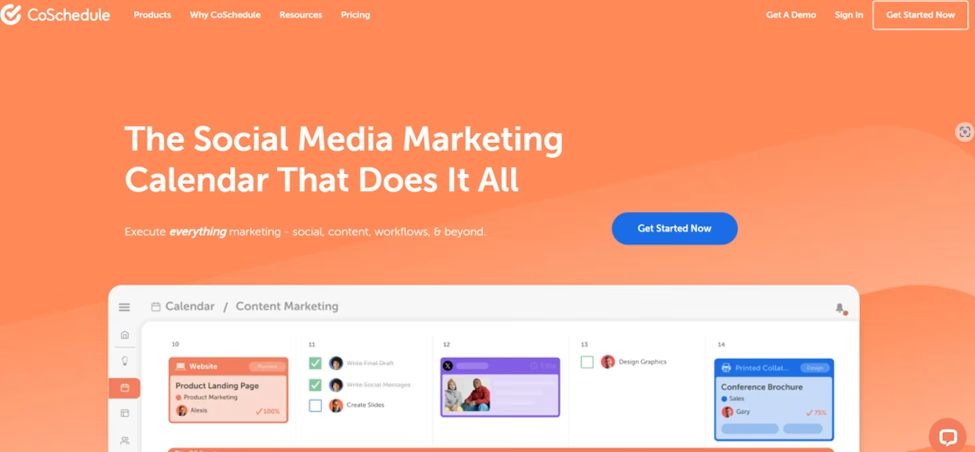
CoSchedule is an all-in-one marketing calendar and project management platform. Its primary focus is social media marketing. What makes it an excellent editorial calendar software platform is that it enables marketing teams to plan, organize, and execute content strategy from a central dashboard. CoSchedule also provides a unique view of its marketing and content initiatives.
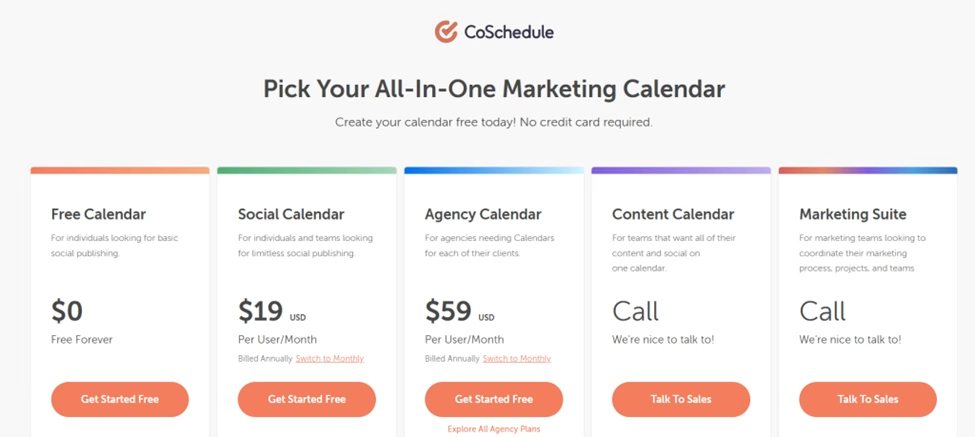
Pricing Range – Free to $59 (Per month)
Important Note – If you decide to use the Content Calendar or Marketing Suite pricing plans, you will need to call the CoSchedule sales team for pricing details.
Key Features
- Drag and drop content calendar and customizable color coding
- Social media analytics and reporting capabilities
- AI social assistant and AI campaign assistant
- Report scheduling
- Content performance analytics
- AI image generator
Pros
- Offers a free account
- Pricing
- Create and run marketing campaigns
- Social media posts across the following platforms:
- Bluesky Social
- Google Business
- Twitter (X)
- YouTube Shorts
- Integration with various tools, including:
- WordPress
- HubSpot
- Canva
- MailChimp
- Google Calendar/Google Drive
- Zapier
Cons
- Some advanced features are only available in the more expensive pricing plans
- Steeper learning curve for full platform utilization
2. Loomly
Summary
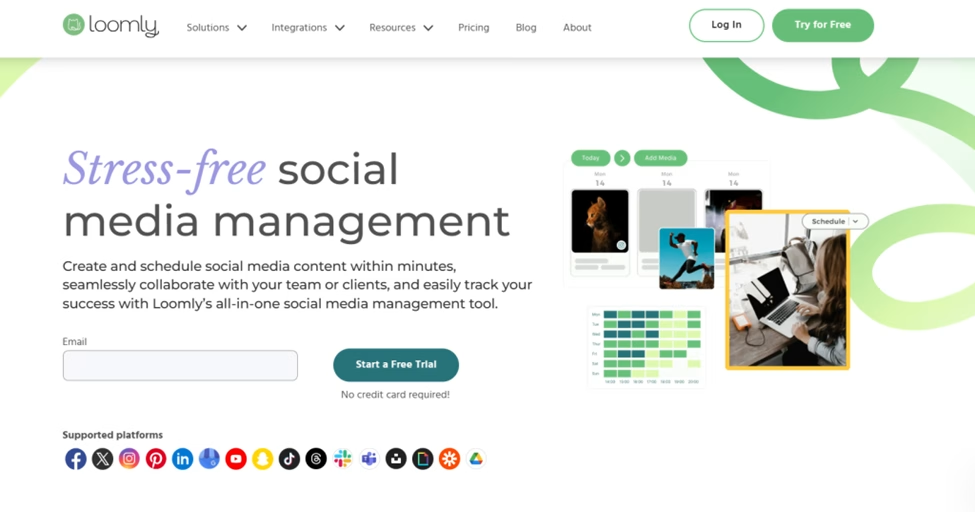
Loomly is an editorial calendar that primarily focuses on social media management. The tool helps teams create, schedule, and analyze social media posts. The tool offers an extensive list of features, including the ability to create timely, scheduled social media posts. This tool is great for teams and individuals looking to streamline their social media efforts.
Pricing Range – Free to Start (See important note below)
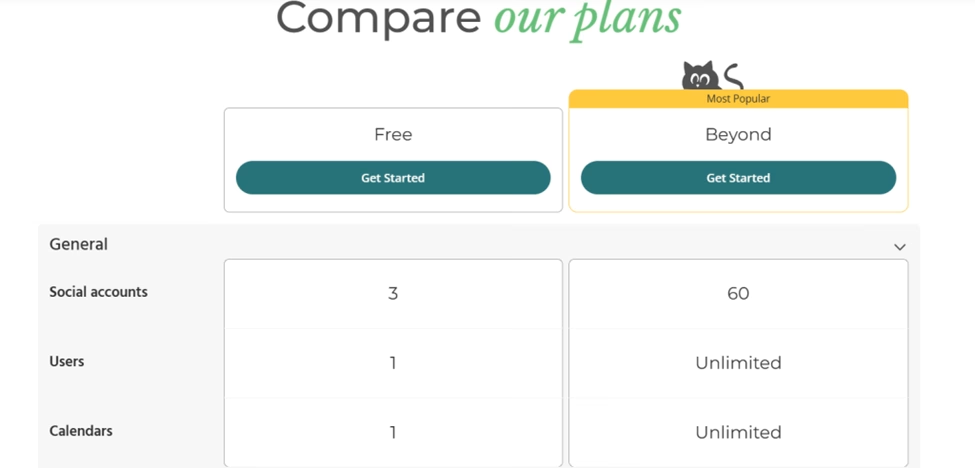
Important Note – If you want to upgrade, you will need to use the Beyond plan. The Beyond plan starts with a 15-day trial; after that, you will incur a monthly cost.
Key Features
- Schedule and publish posts
- Media editor
- Ability to create slideshows
- Advanced post-scheduling and calendar views
- Offers direct content publishing
- Blog post/article performance analytics
Pros
- Offers a free account
- Available on PC and mobile devices (iOS and Android)
- Integrates with Zapier
- Offers three social accounts with the free version
- Offers two-factor authentication (2FA)
Cons
- The free plan is limited
- The pay-as-you-grow model can increase prices quickly
- No social media channels are available under the free account
3. ClickUp
Summary
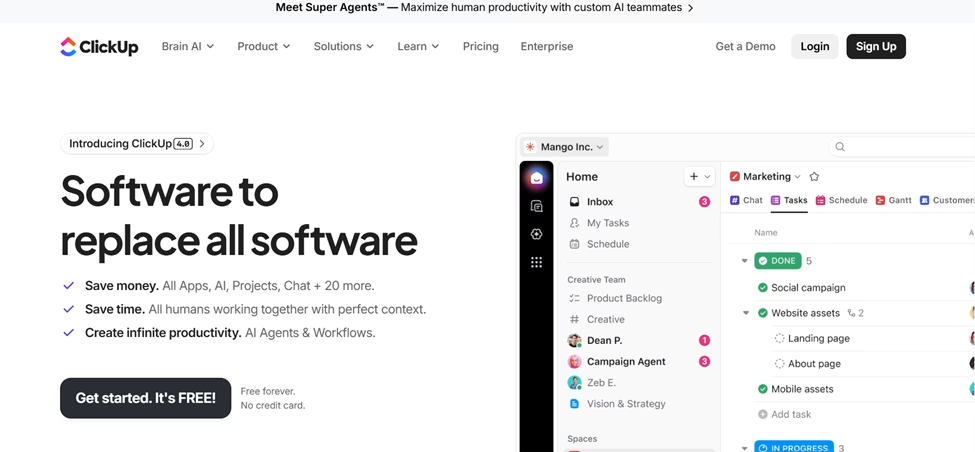
ClickUp is a project management and productivity-centric app. The app has many features, including a content calendar template that covers editorial requirements. ClickUp offers features such as calendar view and unlimited task creation. ClickUp has an amazing price point that solopreneurs and small businesses will love.
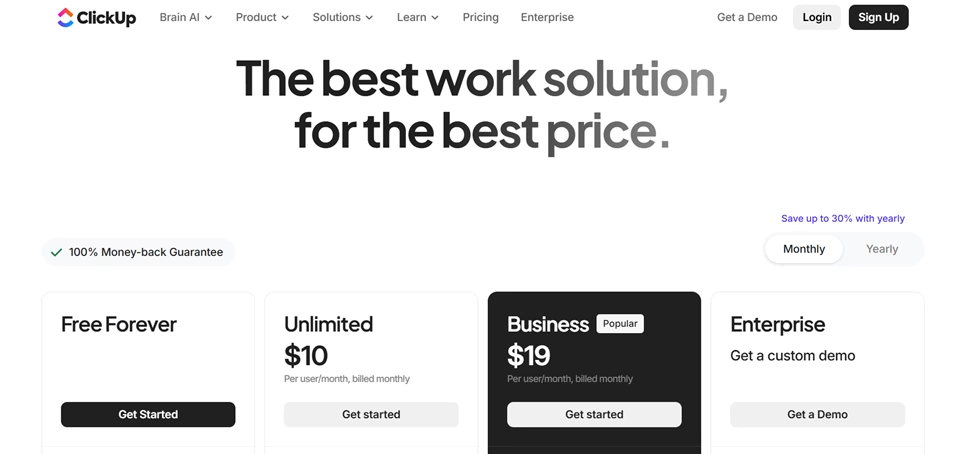
Pricing Range – Free to $19 (Per month)
Important Note – The Enterprise plan isn’t covered in the abovementioned price range. To get pricing on the enterprise plan, you are required to contact ClickUp’s sales team.
Key Features
- Calendar template feature
- Team sharing capabilities
- AI compatibility
- Google SSO (Single-Sign-On)
- Time tracking
- Dashboard capabilities
- Goal creations
- 2 Factor Authentication
- Task entry
Pros
- Pricing
- Free training and 24-7 support via ClickUp University
- Uptime
- Platform integration with many platforms, including the following:
- Dropbox
- Zendesk
- GitHub
- Google Calendar
- Outlook
- Slack
- HubSpot
- Google Drive
- Github
- Gitlab
- One Drive
- Zapier
- Free templates covering various industries and services, including IT, professional services, support, finance, and accounting
- 100 MB Storage
Cons
- Lacking dashboard options
- It can take significant time to master the tool
4. Trello
Summary
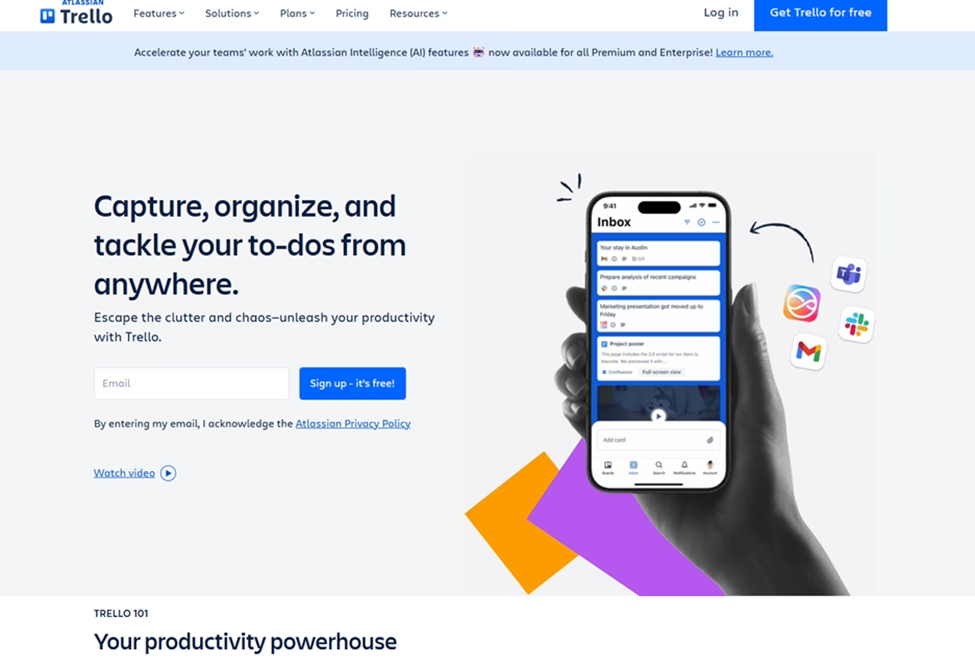
Many consider Trello to be the best planning platform on the market. Trello is an online project management tool for personal and collaborative use that helps users manage their daily and professional tasks and projects. It has strong planning management capabilities, along with its calendar view and update features.
The software platform allows groups to view team projects and individual projects. Trello makes it easier to manage the key elements of content planning.
Availability – Android, iOS, PC, and web app (Chrome, Firefox, Edge, and Safari)
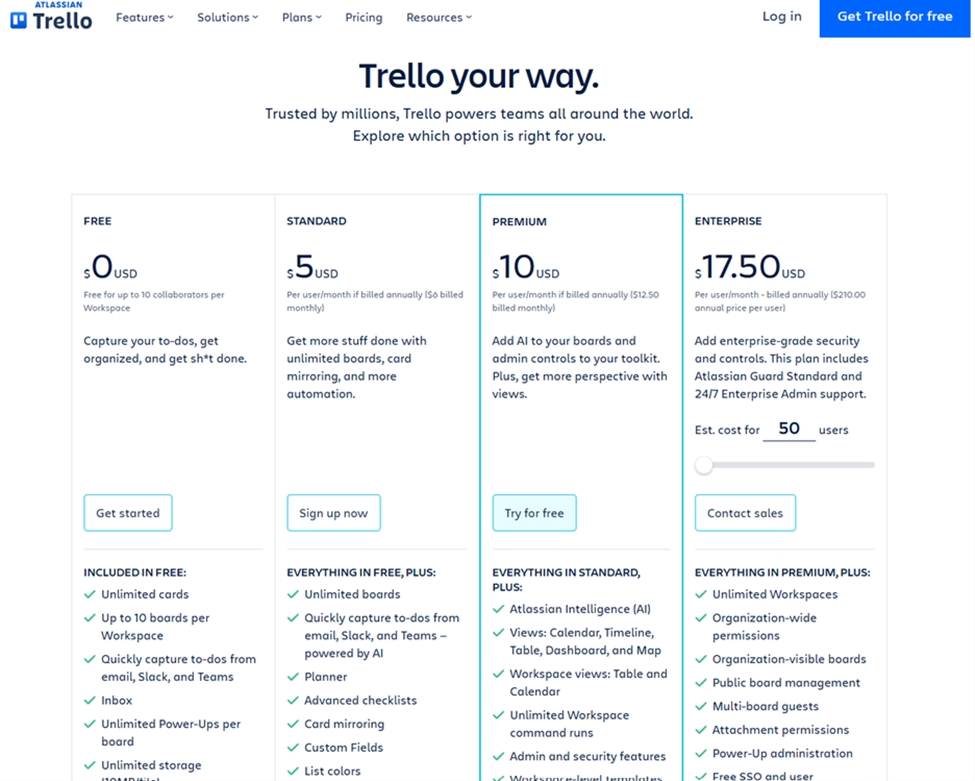
Price Range – Free to $17.50 (Per month, billed annually)
Important Note – The Enterprise plan price is $17.50 per user with a minimum base of 50 users. Organizations with more than 5,000 users must contact Trello’s pricing team.
Key Features
- Easy-to-use templates
- Integrations with other applications
- Workflow Automation
- Ability to view team projects
Pros
- Offers a free version
- Offers different view types, including calendar, timeline, table, dashboards, and mapping
- Integrations with other applications, including the following:
- Slack
- Teams
- Workflow automation
- Ability to sync with your other devices
- Product guides
- Unlimited storage (10MB/file)
- Unlimited activity logs
- Calendar and event synchronization capabilities
Cons
- Pricing plan costs are per user
- Security capabilities, including SAML single sign-on and 2-Factor Authentication, are add-ons and can only be used if you pay an additional $4 per month.
5. Hootsuite

Summary
Hootsuite is an editorial calendar software platform that focuses on social media marketing and management. The Hootsuite platform offers a suite of features that support key aspects of content management, including scheduling, monitoring, and analytics.
Hootsuite offers an extensive list of features tailored to industries such as information technology, government, financial services, and real estate. It also covers companies of all sizes.
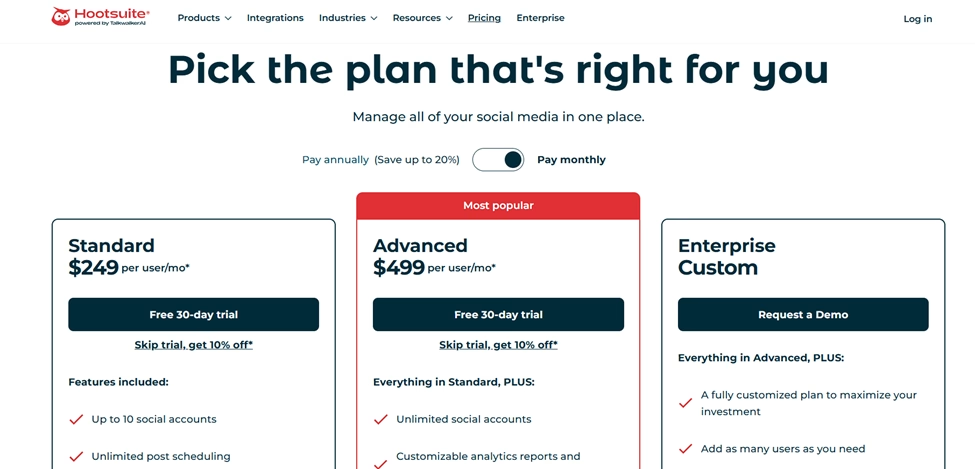
Pricing Range – $249 to $499 (Per month)
Important Note –If you want to use the Enterprise (Custom) pricing plan, you will need to contact Hootsuite’s sales team.
Key Features
- Analytics and reporting capabilities
- Inbox and messaging features
- AI content creation
- Social media advertising
- Publish and schedule content
Pros
- Offers free tools, including:
- AI caption generator
- LinkedIn post generator
- Sentiment analysis tool
- YouTube name tool
- Instagram SEO tool
- 30-day free trial offer for both the Professional and Team pricing plans
- Offers over 100+ application platform integrations, including:
- YouTube
- Twitter (X)
- Google Business Profile
- TikTok
- Upfluence
- Salesforce
- Vidyard
- Hootsuite Academy offers training courses and certification to help with learning about the extensive product suite
Cons
- Higher price point compared to simpler alternatives
- Steeper learning curve for new users
- No free plan is available
- Both the Professional and Team pricing plans only allow three active user accounts
Editorial Calendar Software Benefits
An editorial calendar software platform comes with many benefits for your content team. Here is a list of some significant benefits for content teams.
Improves Content Editorial Process
Without an editorial process, content development can’t be consistent. Having a software platform in place that your team can use to stay on track is imperative to the success of your content team. I know from experience that as a solopreneur, I need an editorial calendar to stay on track. Solopreneurs and organizations with small content teams need to stay on track, especially given the many other aspects of their businesses they work on.
Ensures Consistency in a Publishing Schedule
Staying on task with what you publish is very important to a content developer. Editorial calendar software helps teams to publish content consistently, on time, and on schedule. Additionally, utilizing scheduled posts ensures your content is planned and automated, allowing optimal posting times and consistent engagement.
Increases Content Quality
Maintaining content quality is vital to the success of your content. Content that is inconsistent in key areas like grammar, sentence structure, brand voice, and brand design limits audience retention. 71% of businesses acknowledge that inconsistent brand presentation confuses customers. Editorial calendar software helps teams stay consistent with key aspects by keeping them on schedule with content development.
Enhances Content Team Collaboration
The fact that editorial calendar software is digital allows for multiple users to access the calendar. You can keep your writers, editors, and managers on task and ensure they know what they need to do. Having everyone on the same page, viewing the same calendar, enhances overall collaboration among team members.
Streamlines Workflow Management Process
Editorial calendar software offers many features to centralize content planning, creation, and publishing. A visual process flow improves time-on-task and enhances overall efficiency.
How to Choose the Best Editorial Calendar Software for You
Choosing the best software platform can be a bit intimidating; however, it doesn’t have to be. Developing a selection criteria list will help make that process easier. By leveraging the selection criteria below, you’ll find the best editorial calendar platform for you.
Pricing
Your budget is the most important selection criterion when deciding on a software platform. Omit any platform from your list that you can’t afford. Only add platforms that you can comfortably afford.
Ease of Use
The easier a platform is to use, the more appealing it is. Try to choose a tool that’s easy to use and doesn’t take a ton of time to learn. When looking for your platform, find something that offers free how-to guides, videos, and/or a support team that you can contact if you have an issue.
Features
The features of a platform are arguably the most widely used criteria. Many people consider a product’s features before they consider the price. To avoid getting lost in a product’s many features, focus on what’s most important to you. Ask yourself the following:
- What do I want to use the tool for?
- What features will the team realistically use?
- What features are most important to me/my team?
- What features can I/my team live without?
Create a list of must-haves, nice-to-haves, and features not required. Below is an example table:
| Must Have Features (Required) | Nice to Have Features (Optional) | Features not Needed |
|---|---|---|
| Keyword Research | Automated Document Templates | AI Image Generator |
| Calendar View | AI Writer | |
| Document Collaboration Function | Performance Analytics |
Answering these questions will go a long way toward eliminating the features you and your team don’t need. Developing a table of required, optional, and unnecessary features provides a clearer view of what you need versus what you want. Always focus on what you need first
Team Size and Collaboration Needs
The size of your team should dictate what product you ultimately choose. Considering the size of your team is vital because some products may cater to solopreneurs and smaller groups, while others may focus on larger teams. You want to narrow your search based on your current team size. Also, consider whether you foresee your team growing; if so, make sure the tool can scale.
Integration and Compatibility
Tools that integrate make things easier for you and your team. Many organizations use a wide variety of tools for different purposes. For example, an organization may use a CRM for customer relationship management or a project management tool to manage its tasks and deliverables. Platform integration and compatibility allow for an efficient planning and execution process. Having everything connected makes it easier to build and manage your process workflows.
Common Mistakes to Avoid
Unfortunately, many teams keep making the same mistakes with editorial calendar software. Below is a list of common mistakes to try to avoid.
Complicating the Calendar
The biggest mistake is making your calendar too complicated. You do not need twenty different status options or fifteen custom fields. Keep it simple, especially at first. This is something that unfortunately me a long time to figure out. As someone that manages their own website, I felt I had to include everything in my calendar. When I realized I only needed to include the necessary items is when the calendar became more manageable and everything became easier to track.
Tracking Everything
Another common error is trying to track everything. Your editorial calendar should focus on content, and that’s it. Do not try to manage your entire business in a single tool; that’s why tool integration is important. Let your ERP system handle your financial side, such as payroll.
Lack of Notifications
Teams often forget to set up notifications. If nobody gets reminded about deadlines, the calendar isn’t really helping. Configure alerts so people know when tasks are due.
Group Management
Unfortunately, some teams never review their calendar as a group. Schedule weekly or monthly planning sessions where everyone looks at what is coming up together. This keeps the content management and marketing teams aligned.
Ignoring Calendar Data
Do not ignore the data your calendar software collects. Most tools show you how long tasks take and where bottlenecks occur. Use this data to refine your content strategy.
Conclusion
Choosing the best editorial calendar software comes down to understanding your specific needs. Whether you need a simple visual board or complex approval workflows, there is a tool out there for you.
Don’t get distracted by shiny features you will never use. Focus on finding a platform that makes it easier to publish content consistently. Consistency is the only thing that truly builds an audience. Use the criteria listed above to help drive your research and ultimately make the best choice for you. Keep in mind the ultimate goal: publish great content without losing your mind. With that in mind, you will make the best decision for you and your business.