
Content marketing is a key pillar to finding success online. The use of content marketing is vast and will only continue to grow. Creating effective content isn’t just about writing well; it’s about strategic planning, execution, and measurement. In addition to proper planning, execution, and measurement, there are tools out there that can help enhance your efforts.
Whether you’re a solopreneur or leading a marketing team, having the perfect toolkit is essential for staying competitive in today’s online content marketing industry. Through this comprehensive guide, you’ll discover the 10 best content strategy tools, their benefits, and tips on how to get the best out of them. You’ll also learn the right criteria to help you choose the best tools for you.
What is a Content Strategy?
A content strategy is a detailed plan that guides your organization’s content creation, development, delivery, and management.
The content’s purpose is to achieve specific business objectives and goals and meet the needs of your target audience, both potential and existing.
Content strategies cover everything from content planning and creation to auditing, distribution, and measurement. They also help establish key tasks, such as writing format, voice, and tone guidelines. These guidelines help ensure consistency across the board. Content teams shouldn’t have content that doesn’t align in format, voice, and tone.
What is a Content Strategy Tool?
A content strategy tool is a software platform that can help enhance your and your organization’s content strategy. Content enhancement can happen in many ways, whether improving your content, workflow, or tracking results. The central focus of these tools is to take what you are already doing and make it better.
Why are Content Strategy Tools Important?
Content strategy tools are important because they enhance what you are already doing. They can also make you and your content team’s lives easier by:
- Keeping content creation on schedule.
- Track key metrics.
- Allows organizations to analyze metrics and make key decisions about the content.
- Make content development easier.
- Make content ideation easier by analyzing current trends.
- Saves time on many manual and monotonous tasks.
The ability to save time and remain on task allows you and your organization to focus on other aspects of your marketing strategies and the business.
Best Content Strategy Tools
Due to the extensive nature of content strategy tools, this article will focus on five primary types. The types are:
- Content Development – Create and develop content.
- Content Management – Manage the development of content from ideation to distribution.
- SEO and Analytics – Metrics and statistics about SEO.
- Visual Content and Design – Develop and design content.
- Content Scheduling/Content Calendar – Scheduling the creation, development, and distribution of your content.
Two tools will be listed for each of these five content strategy tool categories.
1. Grammarly – Content Development
Summary
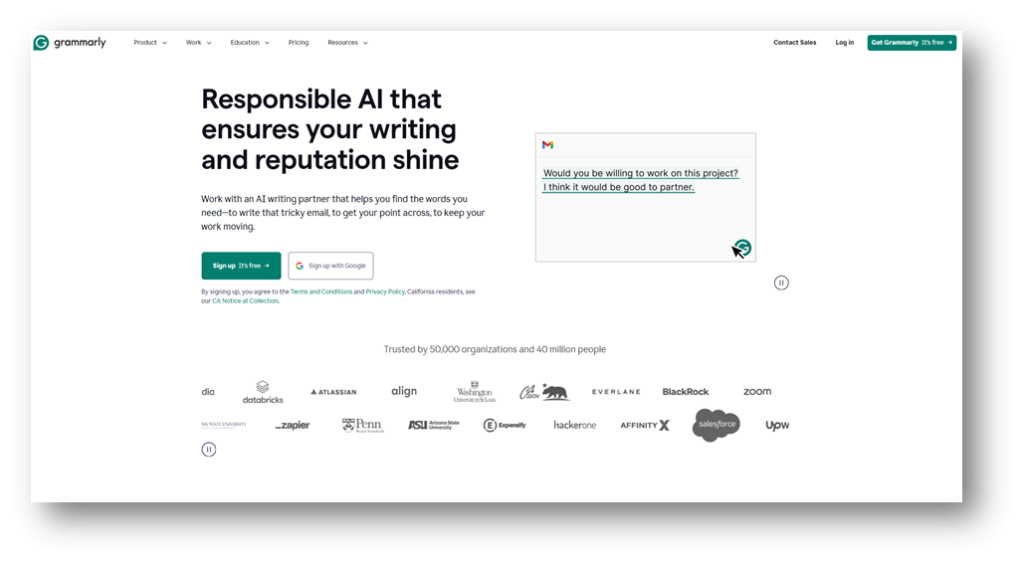
Grammarly is an AI-based writing assistant. The application helps millions of writers and content developers create clear, concise, error-free, and effective content. This writing tool offers extensive features, including grammar checking, spelling, and punctuation editors.
Beyond providing corrections, Grammarly provides writing recommendations and allows writers to implement those recommendations in their documents.
Grammarly can be integrated across various platforms and applications, making it versatile for professional, academic, and personal writing needs.
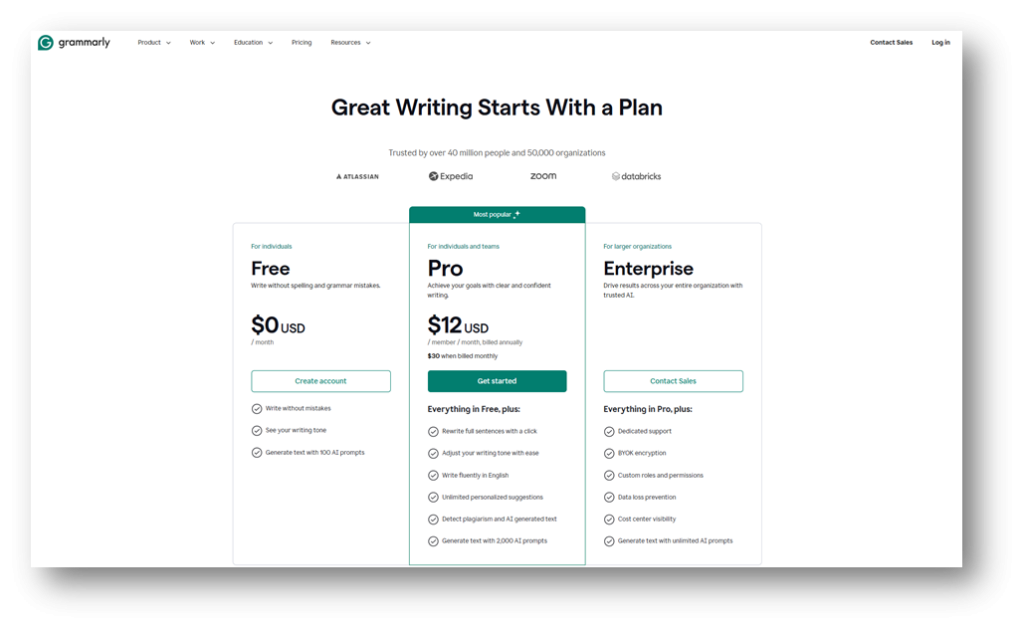
Pricing Range – Free to $30 (Per month)
Important Note – Enterprise pricing requires contacting the Grammarly sales team.
Key Features
- Real-time grammar and spelling correction
- Style and tone adjustments
- Plagiarism detection (Pro)
- Vocabulary enhancement suggestions
- Proofreading
Pros
- Produces AI-Generated text
- Free version available
- Integration capabilities across multiple platforms, including the following:
- Gmail
- Microsoft Office Products: Word, PowerPoint, Teams, Outlook
- Google Docs
- Apple Mail
- Customizable goals for different writing purposes
Cons
- Advanced features require an Enterprise plan
- May occasionally suggest unnecessary changes
- AI detection isn’t always accurate
2. Surfer SEO – Content Development
Summary
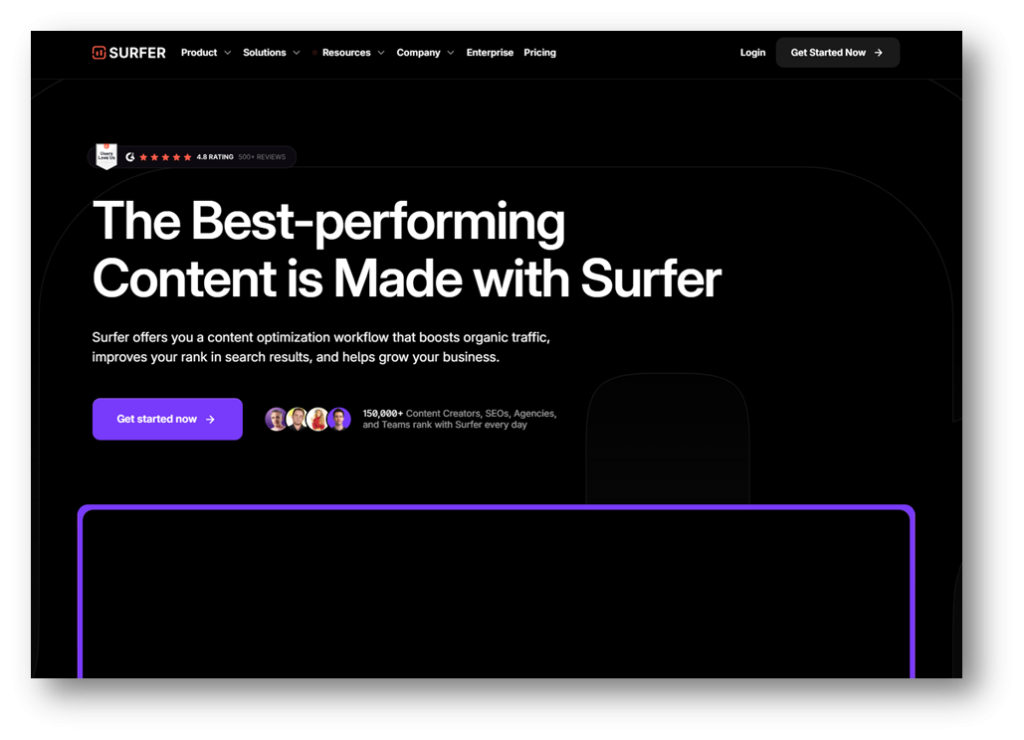
Surfer SEO is a content optimization platform that helps content creators create high-ranking content. The content is based on data-driven insights. What sets itself apart from its competitors is its SEO-centric writing capabilities. Surfer SEO allows users to analyze their top-performing pages and provide actionable recommendations for keyword usage, content structure, and readability. If you use Surfer, you’ll be well on your way to creating amazing SEO-optimized content.
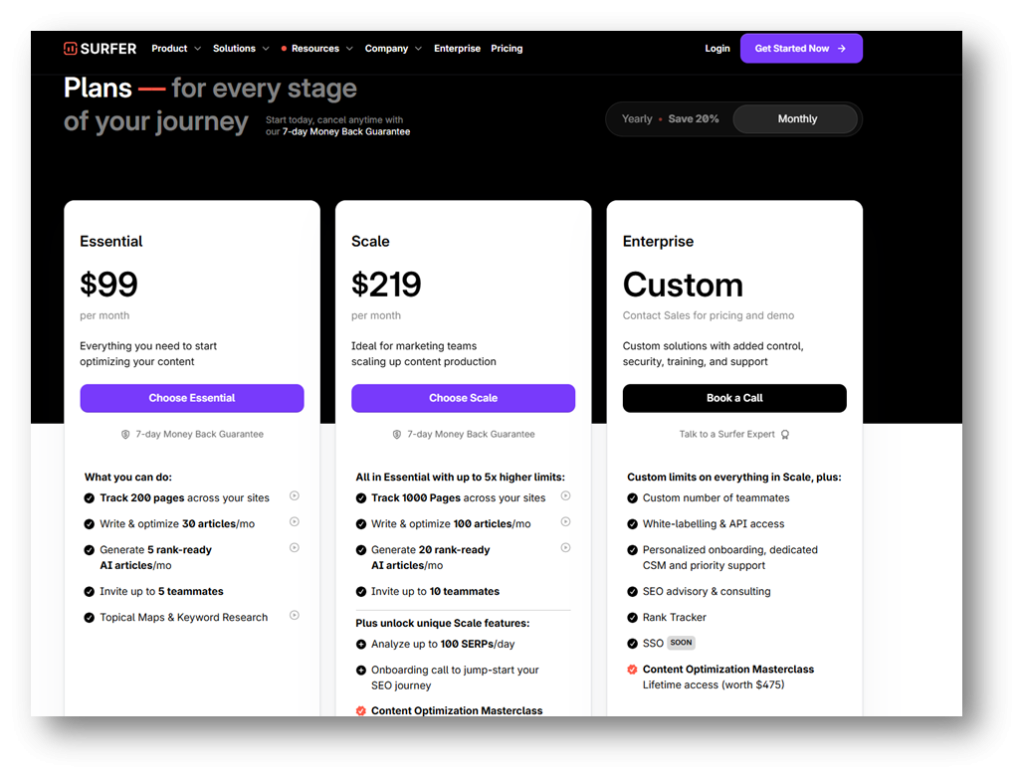
Pricing Range – $99 to $219 (Per month)
Important Note – If you choose the annual plan payment option, the price range is $79 to $175. If you want to use the enterprise plan, you must contact the Surfer SEO sales team.
Key Features
- Ability to auto-generate 30 optimized articles per month.
- Ability to track 200 pages across your website
- Keyword research topical map
- Content Editor with real-time optimization feedback
- SERP Analyzer for competitive research
Pros
- Ability to add 5 team members with the Essential plan and 10 team members under the scale plan.
- Outline builder for structuring content
- Provides SEO-centric content score based on the primary keyword and semantic keywords
- Comprehensive competitor analysis capabilities
- Integrates with Google Docs and WordPress
Cons
- No free plan is available
- Pricing plans are expensive
- Some advanced features require higher pricing plans, such as rank tracker
- Doesn’t export to Microsoft Word
3. WordPress (WordPress.org) – Content Management
Summary
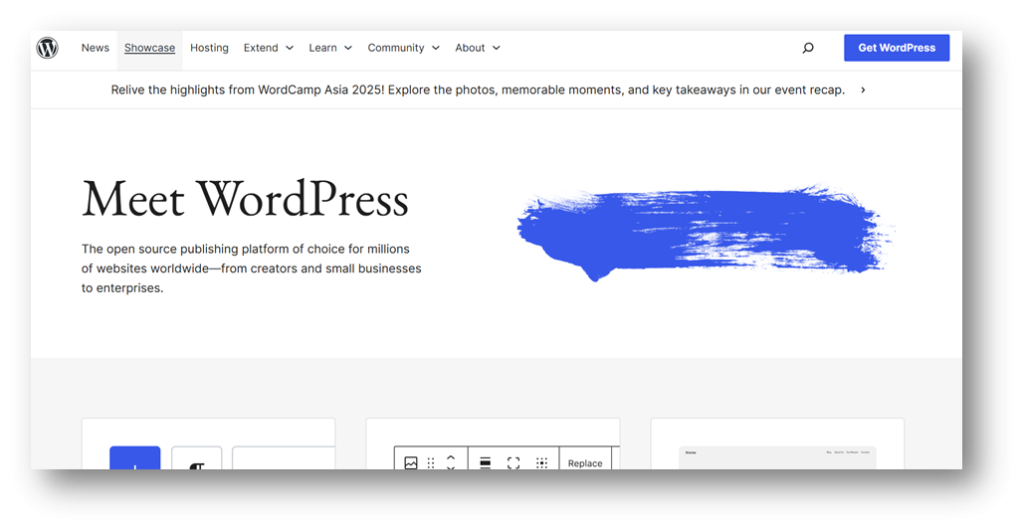
WordPress content management system that is geared towards website creators. The platform is open-sourced and has many features for creating content and websites. WordPress allows users to customize content and optimize content on beautifully developed websites. The software platform’s content management capabilities make it ideal for content creators and organizations of all sizes who must create, manage, and publish content timely and efficiently.
Pricing Range – Free
Important Note – Although WordPress is free, it needs a web hosting site and a domain, which will come with a cost.
Key Features
- Grants website owners the opportunity to scale content
- Intuitive and user-friendly dashboard
- Thousands of free and premium extensions
Pros
- Product is free
- Community support and resources
- Regular updates and security improvements
- Document library comes with the following:
- FAQ
- Technical guides
- Support guides
Cons
- Requires technical knowledge for advanced customization
- Outside of the WordPress tool itself, the domain and hosting can be expensive depending on what the owner chooses
- Plugin conflicts can cause functionality issues
- Regular maintenance is required for optimal performance
4. HubSpot – Content Management
Summary
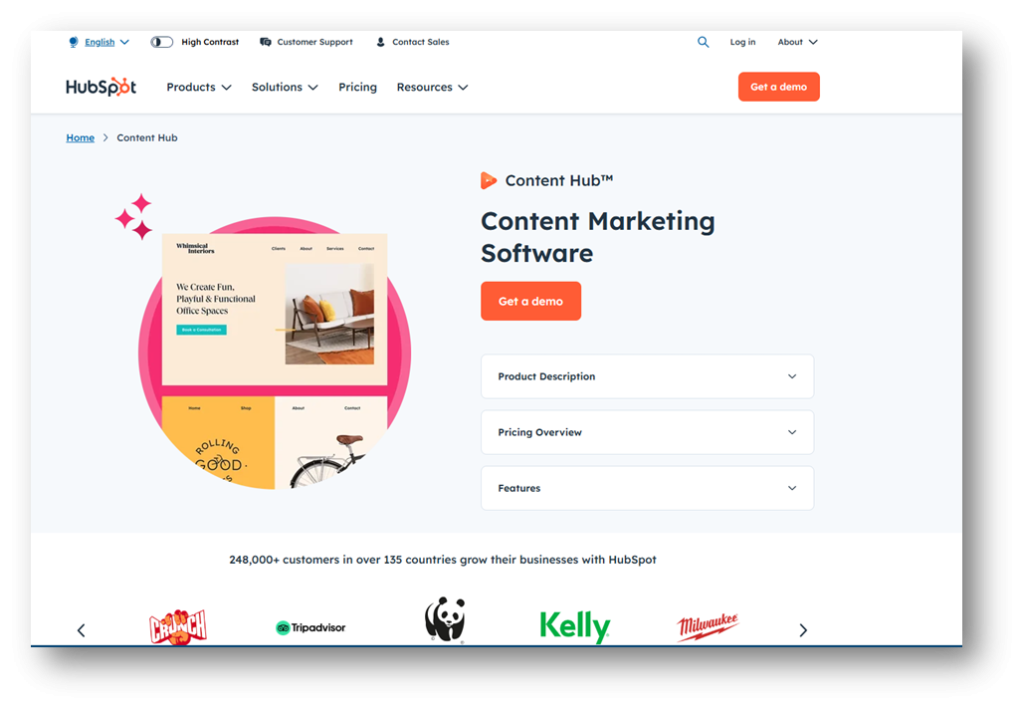
Content Hub is HubSpot’s content marketing software, which helps organizations create and scale content. It has a wide array of capabilities to take your content to the next level. These capabilities include video and podcast hosting, advanced analytics, reporting, lead capturing, and content management.
Pricing Range – Free to $1,500 (Per month)

Key Features
- Content generation via AI
- Lead capture features
- A/B testing capabilities
- Lead scoring capabilities
Pros
- Offers free version
- Pricing (specifically for individuals and small teams)
- Educational content library
- 24/7 Customer Support services
- Onboarding services
- Ability to build landing pages and blogs
- Omni-channel marketing automation
Cons
- Extensive learning cure
- Free plan features are limited
5. Ahrefs – SEO and Analytics

Summary
Ahrefs is a popular rank tracker software tool. It offers keyword research functions, website auditing, backlink reporting, and ranking analysis. The Ahrefs SEO suite offers various popular SEO features, including rank tracking, which helps users improve their overall SEO knowledge and execution. In addition to the capabilities provided by Ahrefs, the software platform also offers a mobile app to monitor rankings while on the go.
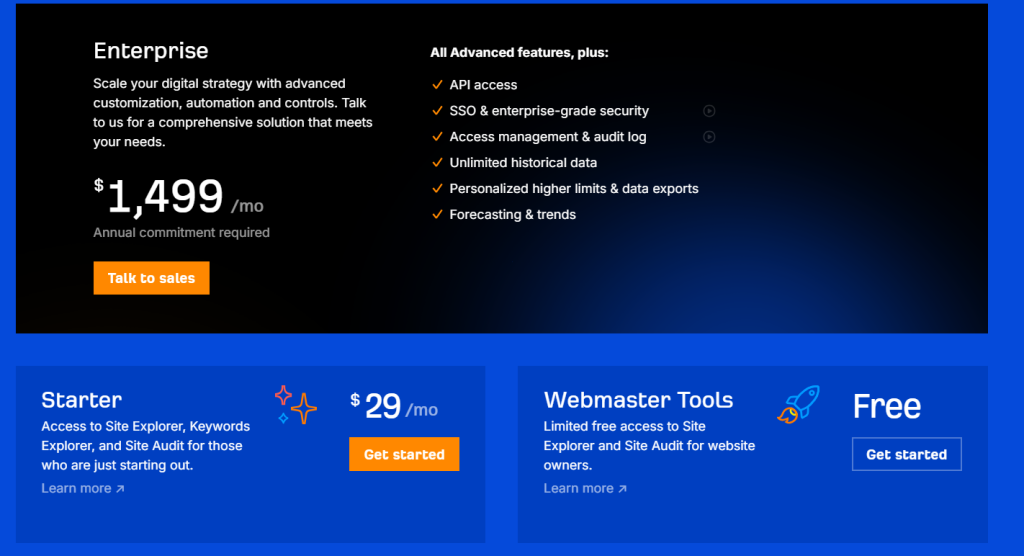
Pricing Range –Free to $1,499.00 (Per month)
Important Note – The Enterprise pricing plan is the most expensive, within Ahrefs at, $1,499.00. The enterprise version requires an annual commitment.
Ahrefs – Lite, Standard, and Advanced pricing plans

Ahrefs – Free, Starter and Enterprise pricing plans
Key Features
- Keyword Explorer
- SEO Reporting Dashboard
- Content Gap Analysis
- Website Rank Tracker
- SERP Comparison Reporting
- Backlink Analysis reporting capabilities, including the following:
- Broken backlinks
- Broken links
- Outgoing links
- Link intersect reporting
Pros
- Extensive reporting capabilities
- Data can be updated daily (additional price)
- Free tools include:
- Backlink Checker
- Website Authority Checker
- Keyword Generator
- Broken Link Checker
- Website Checker
- AI Writing Tool (includes AI paragraph generator and AI paragraph rewriter)
Cons
- The free version only provides limited access to Site Explorer and Site Audit for website owners
- Limited credit allotment for Starter and Lite pricing plans
- Limited reporting data to export based on the plan selected
- The Enterprise version requires an annual commitment
6. SemRush – SEO and Analytics
Summary
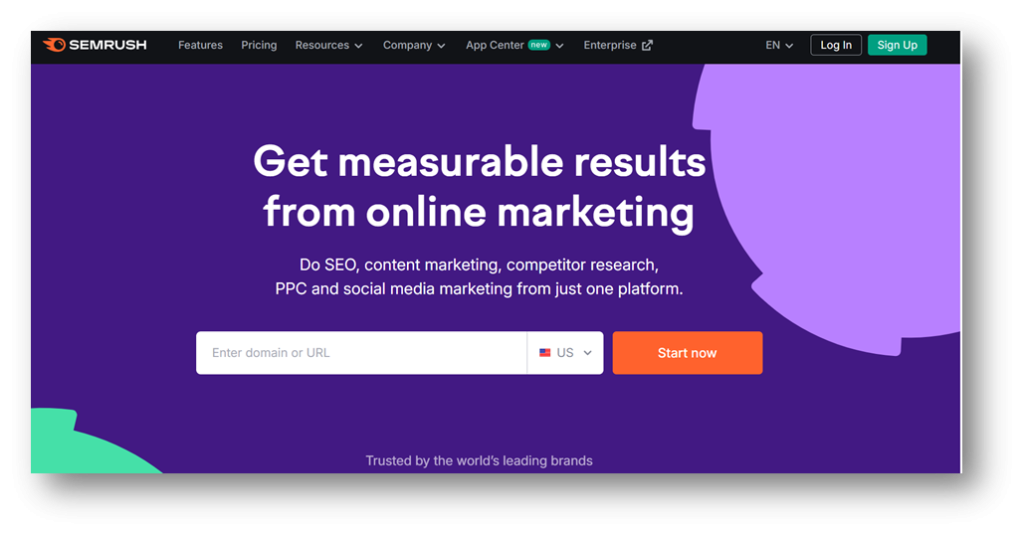
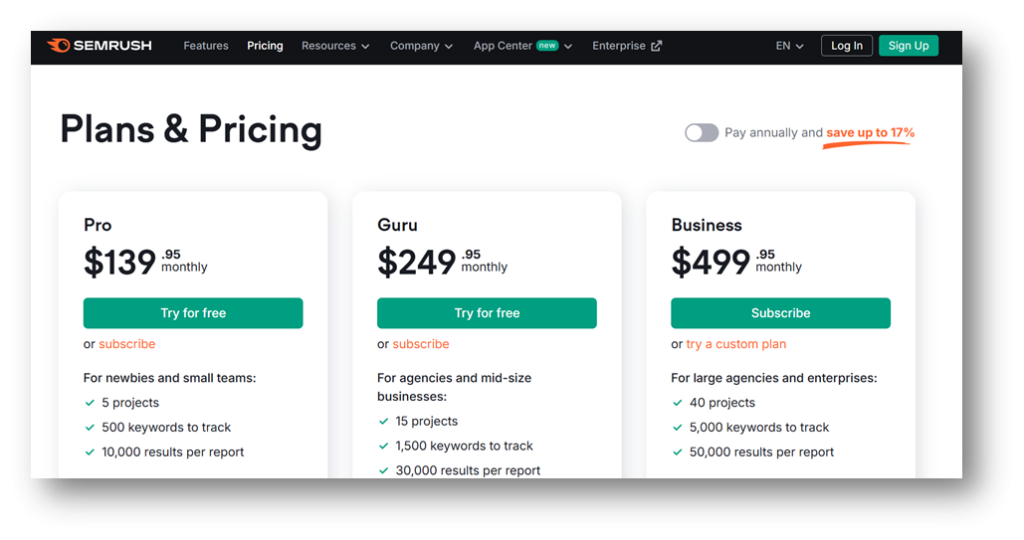
Semrush is an all-in-one marketing suite with extensive SEO and analytics capabilities, including rank and on-page SEO tracking. Semrush offers user tools to monitor keyword rankings, visibility, and backlinks. It also provides in-depth insights into competitor data, keyword research, and more.
Pricing Range – $39.99 to $499.00 (Per month)
Important Note – You can create a free account with Semrush. The free account limits your ability to pull data and use certain tools.
Key Features
- Keyword research capabilities include the following:
- Keyword gap analysis
- Organic research analysis
- Keyword generation through Keyword Magic tool
- Competitor analysis
- On-Page SEO
- Website audit capabilities
- Log File Analyzer
- On-Page SEO Checker
Pros
- Offers a free account
- Provides detailed reporting features
- Extensive features within the rank tracking marketing, SEO reporting, and writing areas of focus
Cons
- Overall pricing
- Additional users and add-on features will incur an additional cost
7. Canva – Visual Content Design
Summary
Canva is a visual content creation platform that offers thousands of customizable templates for social media graphics, presentations, documents, and videos.
The Canva platform provides users with powerful design capabilities, allowing them to create professional-looking visuals. Its vast content library includes millions of stock photos, illustrations, icons, and fonts, making it a comprehensive solution for any content marketer.
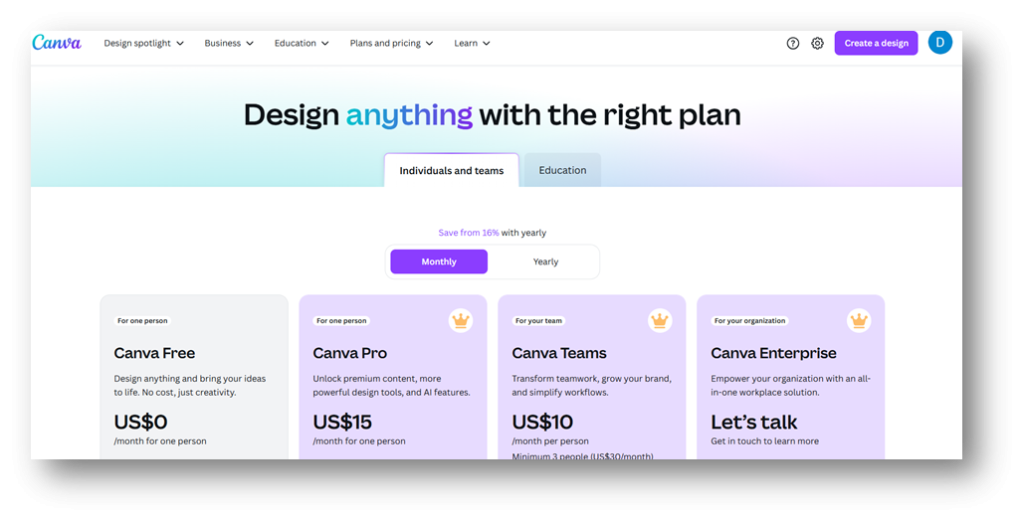
Pricing Range – Free to $15 (Per month)
Important Note – To use the Enterprise plan, contact the Canva sales team.
Key Features
- Drag-and-drop editor with thousands of templates
- Extensive library of stock photos, illustrations, and fonts
- Background remover tool
- Apps marketplace integrations with over 100+ applications
- Offers real-time collaboration
- Offers content link-sharing
Pros
- Free version with substantial features
- Overall pricing for paid plans
- User-friendly, with no design experience required
- Extensive template library
- Regular updates with new features and templates
- Offers an education plan for students and teachers
Cons
- Some premium templates and elements require a paid subscription
- The Free plan and Pro plan have the same limited security capabilities
8. Pixlr – Visual Content Design

Summary
Pixlr is another excellent visual content design tool. Pixlr is a photo editing platform that offers professional editing tools. This versatile tool provides both advanced and simplified editing and design options through five additional products:
- Pixlr Editor (Pixlr E) – Free advanced photo editor.
- Pixlr Express (Pixlr X) – Free AI-powered photo editor.
- Pixlr Designer (Pixlr D) – Create photo collages and AI image generator.
- Pixlr Remove Bg (Pixlr Bg) – AI background erasure tool.
- Pixlr Batch Editor (Pixlr B) – Free bulk image editor.
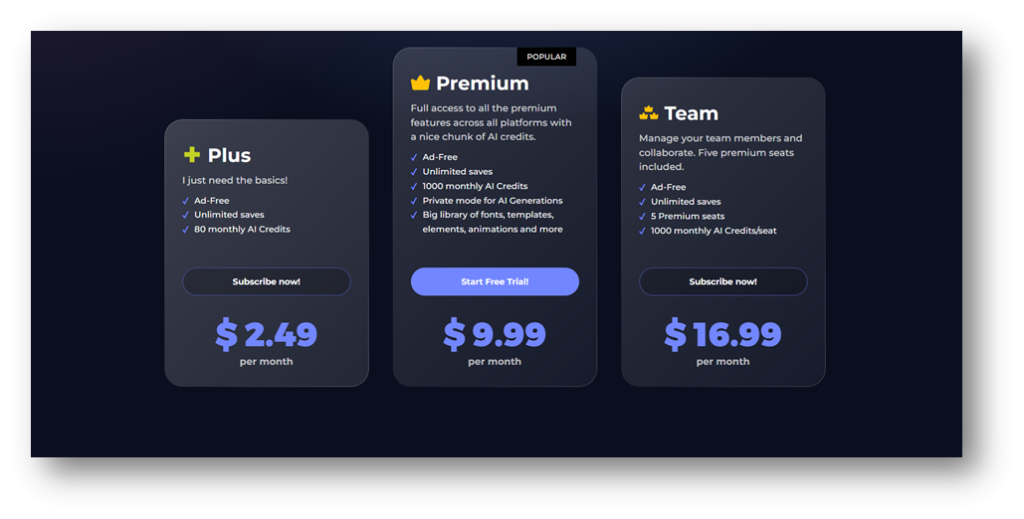
Pricing Range –$2.49 to $16.99 (Per month)
Key Features
- File converter
- Extensive photo editing and design features
- Extensive number of monthly AI credits
Pros
- Pricing
- No software installation required
- Intuitive interface with beginner-friendly options
- Free version available
- Extensive offerings include the following:
- AI Image Generator
- AI Background Removal
- AI Face Swap
- Available on mobile and desktop
- Offers video tutorials
Cons
- Advanced features require a premium subscription
9. CoSchedule – Content Scheduling Content/Calendar
Summary
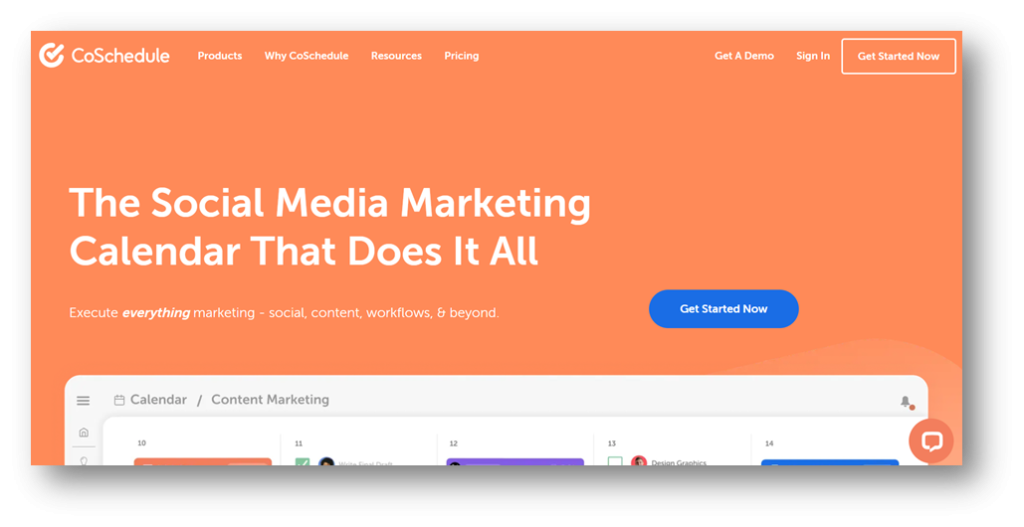
CoSchedule is an all-in-one marketing calendar and project management platform. Its primary focus is social media marketing. This tool allows marketing teams to plan, organize, and execute content strategy from a central dashboard.
CoSchedule stands out for its visual marketing calendar, which provides a unique view of its marketing and content initiatives. CoSchedule also offers workflow management features.
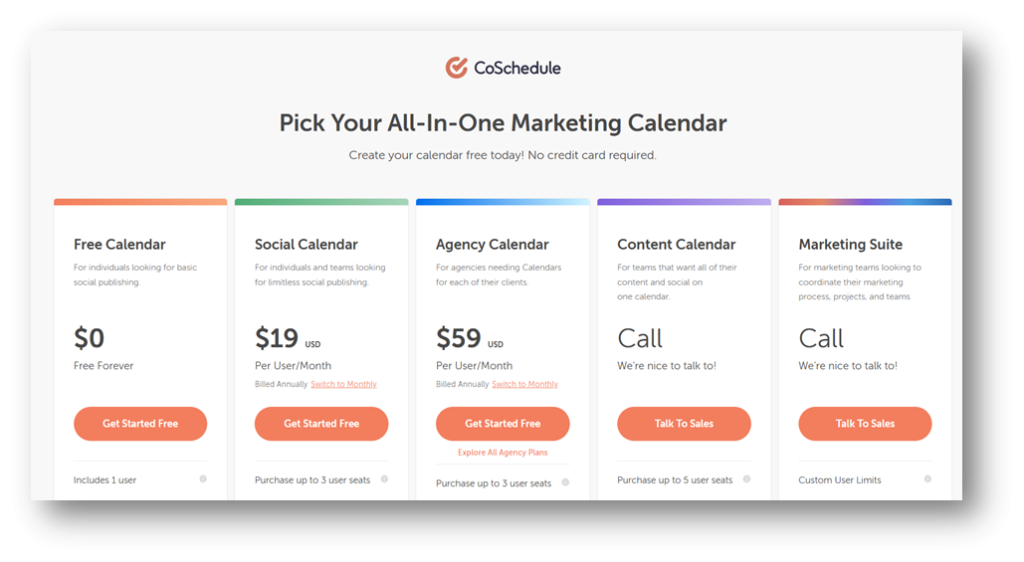
Pricing Range – Free to $59 (Per month)
Key Features
- Drag and drop content calendar and customizable color coding
- Social media analytic and reporting capabilities
- AI social assistant and AI campaign assistant
- Report scheduling
- Content performance analytics
- AI image generator
Pros
- Offers a free account
- Pricing
- Create and run marketing campaigns
- Social media posts across the following platforms:
- Bluesky Social
- Google Business
- Twitter (X)
- YouTube Shorts
- Integration with various tools, including:
- WordPress
- HubSpot
- Canva
- MailChimp
- Google Calendar/Google Drive
- Zapier
Cons
- Some advanced features are only available in the more expensive pricing plans
- Steeper learning curve for full platform utilization
10. Loomly – Content Scheduling /Content Calendar
Summary
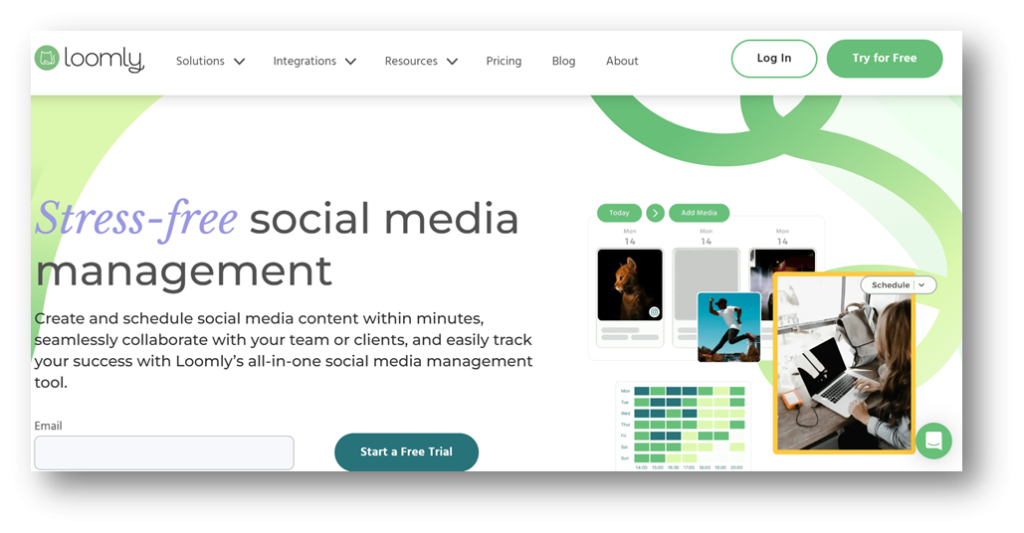
Loomly is a social media management tool that helps organizations create, schedule, and analyze social media posts. The tool has an exhaustive list of features, including creating timely and scheduled social media posts.
This tool is ideal for teams and individuals looking to streamline their social media efforts. It has awesome features like post ideas, content calendars, and performance analytics, making managing your social media strategy a breeze.
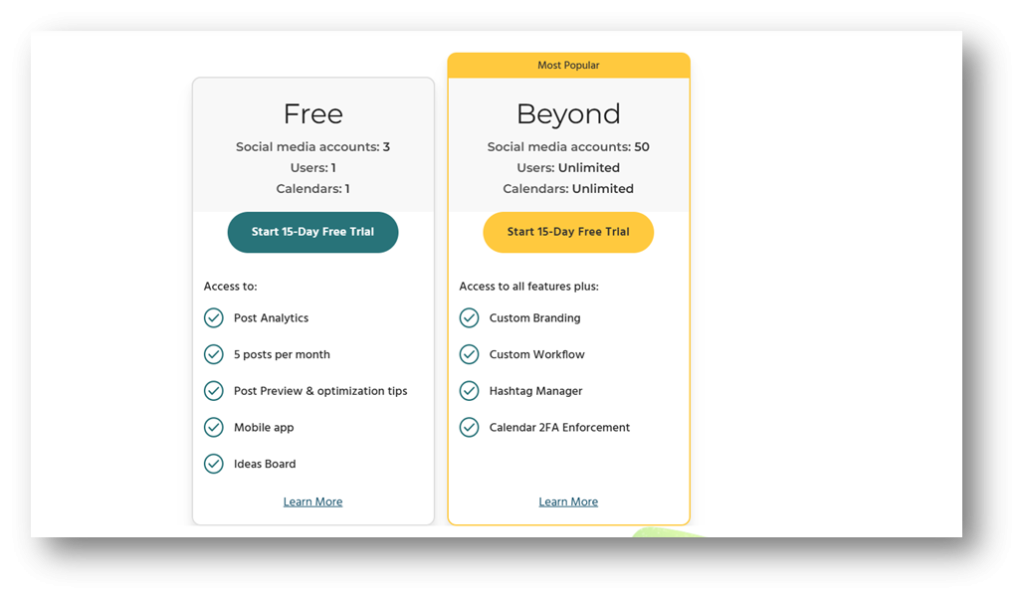
Pricing Range – Free to Start (See Important Note Below)
Important Note – If you want to upgrade, you will need to use the Beyond plan. The Beyond plan starts with a 15-day trial; after that, you will incur a monthly cost.
Key Features
- Schedule and publish posts
- Media editor
- Ability to create slideshows
- Advanced post-scheduling and calendar views
- Offers direct content publishing
- Blog post/article performance analytics
Pros
- Offers a free account
- Available on PC and mobile devices (iOs and Android)
- Integrates with Zapier
- Offers three social accounts with the free version
- Offers two-factor authentication (2FA)
Cons
- The free plan is limited
- Pay as you grow model can increase price quickly
- No social media channels are available under the free account
Content Strategy Tool Benefits
Content Strategy tools have so many benefits that it’s hard to narrow them down to a couple of them. This is especially the case because there are so many types of content strategy tools with so many different functions and purposes. For the sake of this article, we will focus on five of them.
Time Management
Tools for content development and design save your team time. A content development tool like Grammarly comes equipped with AI functionality, which allows you to speed up your writing process. It can generate content for you in seconds.
If you don’t want AI to write content for you, Surfer SEO has AI writing features that generate content outlines instead, allowing you to fill in the blanks. Either way, these tools are total time savers, allowing you and your team to put your focus elsewhere.
Team Roles and Responsibilities Alignment
Content management tools allow your content teams to view team members’ progress. This gives everyone the opportunity to understand what each person is doing.
The last thing anyone wants is to do the same assignment or aspects of the assignment multiple times by multiple people, especially if it can be avoided. Total team alignment helps avoid people stepping on each other’s toes and confusion about what everyone else is working on.
Improves Content
Leveraging tools that have AI capabilities is just the tip of the iceberg. Although AI can help write for you, your content improves during editing and revision. Grammarly allows editing and revisions to be a breeze. The Grammarly platform also highlights areas that require focus, function, grammar, sentence structure, etc. Grammarly also offers alternate ways to re-write what you have already written.
Grammarly’s readability content score (on a scale of 1-100) will help keep you on task; the higher the score, the better.
Enhances Workflow Process
A content strategy is only as good as the content workflow process behind it. Without a content workflow process, your content suffers, and as a result, so does your content strategy. Implementing a content management tool can help improve your existing workflow process. Content management systems generally come with content creation features, which make everyone’s lives easier. Due to this fact among others over 80 million websites use a content management system.
Enhances KPI and Metrics Analysis
The ability to track your content’s progress against your business objectives is among the most important aspects of a content strategy. Without it, you travel without direction, and your content suffers.
Tools like Ahrefs and Semrush allow you to see how your content performs. You’ll be able to make decisions about underperforming content and where to take your high-performing content next.
Improves Decision-Making Process
Having tools in your arsenal that help improve your decision-making process is a wise investment. The more comprehensive data you have, the better decisions you can make.
Tips for Making the Most of Your Content Strategy Tools
Content strategy tools are just that they are tools. They are only as good as how you use them. Here are some tips to help you get the most out of your content strategy tools.
Use Tool Collaborative Features with Team Members
For those with content teams, ensure the content management tool you use is something everyone can use. It doesn’t matter if your team performs different functions in the content workflow. Everyone should use the tool to collaborate and communicate. A tool is as good as its user base and the effort they put into it. Even if someone has one function within the tool, like a document approver, they should use the tool to approve the final version of the document.
Integrate Tools with Others Whenever Possible
Tools that aren’t integrated with each other make it difficult to have version-controlled content. If you have a version in MS Word and then another version in Grammarly, it makes things confusing for not only yourself but also your team. Before selecting your tools, look for an integration list and see which tools can connect. This makes streamlining content and team alignment easier. You can also get the most out of your tools.
Leverage Primary Features to the Fullest
Before making your final tool selection, make sure you’re purchasing your final selection features tools you’ll use. The last thing you want to do is buy a product jam-packed with features that you don’t or won’t ever use. Home in on a product with features that you know you and your team will use on a consistent basis. That way, your efforts and the product won’t go to waste.
How to Choose the Best Content Strategy Tools for You
With so many tools available, it can be difficult to decide which one is best for you. Many people get distracted by the superfluous features offered by these tools.
Pricing
The pricing of your software tool is the most important aspect to consider when deciding what tool to choose. You don’t want to choose something too expensive; if you do, you’re already starting off on the wrong foot. Unfortunately, you’ll be picking a new tool that’s more affordable. You have to pick something within budget, especially because most products are paid monthly.
Ease of Use
With any system, you don’t want to buy something that will take much time to learn. Everyone wants to log into a system and start using it with minimal fuss. Being bogged down with setbacks while using the tool slows your content development.
Find tools that are intuitive and easy to use. If you find something that you have difficulty with, try looking into whether or not the platform you choose comes with how-to guides, videos, or perhaps even a support team that you can get a hold of in the event you get stuck.
Features
As you develop your list of potential options, make sure you take the platform’s features into account. When doing so, think about what you are really trying to accomplish and what’s important to you and your team, for example:
- What do I want to use the tool for?
- What features are most important to me/my team?
- What features will the me/my team realistically use?
Answering these questions helps eliminate the features you don’t need. The last thing you want to do is buy an overpriced product you don’t want because you were too focused on feature-rich products.
Compatibility
It’s very important how the product you choose interacts with your other products. Products that can connect with each other help make your content development and content workflow processes easier. Tools that don’t interact can slow things down. For example, if your content development tool doesn’t interact with your content management system, you’ll move files from one system to the next. Avoiding that prevents having multiple versions of the same document.
Conclusion
Using the right tools is an important step in enhancing your content strategy. The tools mentioned in this guide will help you develop content as well as stay ahead of the competition, especially when it comes to SEO.
Make sure prior to choosing these tools that you take important criteria into consideration, including ease of use, pricing, features, and compatibility with other tools. The last thing you want to do is choose the wrong tools and start over again. Remember, once you have purchased your tools, follow the tips described in this article to get the most out of them. You don’t want the tools you select to go to waste. If you leverage them appropriately, they will maximize your ROI and, as a result, improve your content strategy.