
If you care about traffic, leads, and most of all staying sane as a writer or marketer, your choice of a Content Management System (CMS) definitely matters more than you think. You can write the best content on earth, but if your platform slows you down, you’ll publish less and burn out faster. Your CMS and your content strategy go hand in hand. That is why picking the best CMS for content strategy is really about picking the system that enhances your content output.
If you are serious about creating amazing content with minimal issues, you need the best CMS that aligns with your content strategy, goals, and growth plans. To do so, it helps to look beyond something that just looks pretty on day one. You need a setup that accounts for the realities of managing website content efficiently. Through this guide, you’ll learn about what a CMS is, the five best CMS for content strategy, as well as how to choose the best CMS for you.
What is Content Management (CM)?
Content management is creating, organizing, storing, and publishing content. It also means handling content throughout its lifecycle, including major stages like:
- Planning
- Creation/Development
- Editing
- Approval
- Publish
- Distribution
- Archiving
Content management is vital to the success of your content strategy. Having a CMS will make content management much easier.
What is a Content Management System (CMS)?
A content management system (CMS) is software that allows users to create, edit, manage, and publish digital content on websites. What makes a CMS great is that it does require its users to have coding knowledge. I know I wouldn’t be able to build a website without a CMS, as I have no coding knowledge. A CMS also provides a user-friendly interface with tools and features that make the entire content workflow process easier.
In 2025, there were more than 80 million live websites using content management systems, which is around 68.7% of all websites. Among widely used CMS systems, WordPress has 41.21% market share.
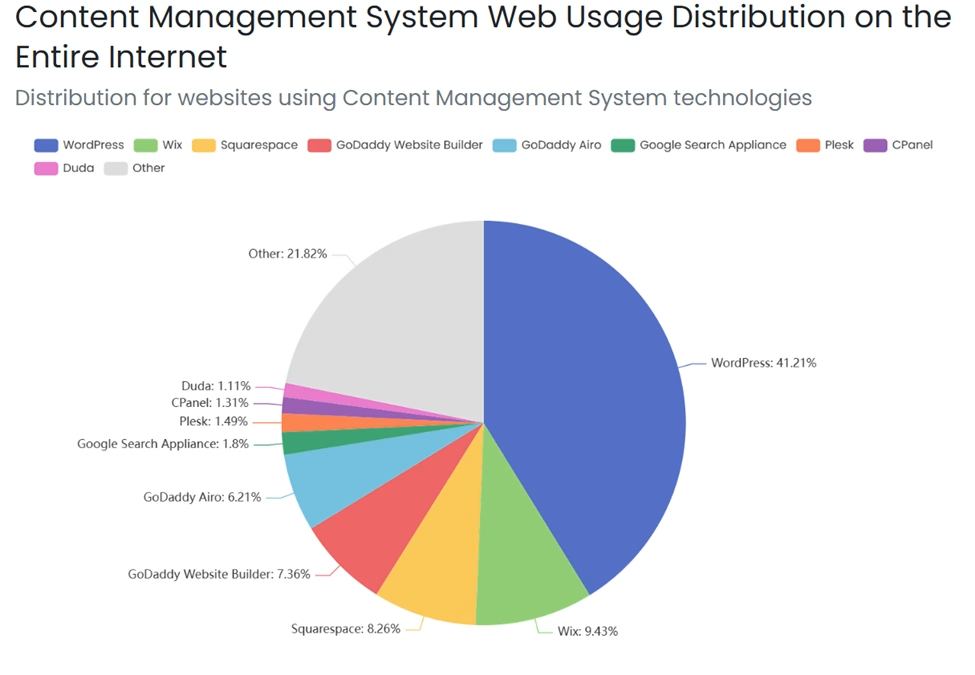
(Source – Built With)
A CMS is an extremely versatile platform that can support various content strategies. Some of the content strategy types include the following:
- Product content strategy
- UX content strategy
- Vlog content strategy
- Small business content strategy
- B2B content strategy
- Content channel strategy
Ultimately, a CMS empowers anyone to build and manage a professional website without technical expertise, making it an indispensable tool for businesses and content creators of all sizes.
Why Your CMS Can Make or Break Your Content Strategy
Here is the hard truth that many new writers learn the hard way. Strategy involves more than just what you publish. It is where you publish, how you publish, and how often you can publish without overextending yourself. It’s unfortunately something I still struggle with as someone that manages their website alone. Luckily, this is avoidable, especially with the right CMS. Your CMS platform controls your workflows, SEO foundations, and your data.
If you want a deeper look at planning, you can study this guide to web content strategy. Or if LinkedIn is your main growth channel, this LinkedIn-focused content strategy framework will help you match your CMS choice to social goals, too.
5 Best CMS for Content Strategy
1. HubSpot (Content Hub)
Summary
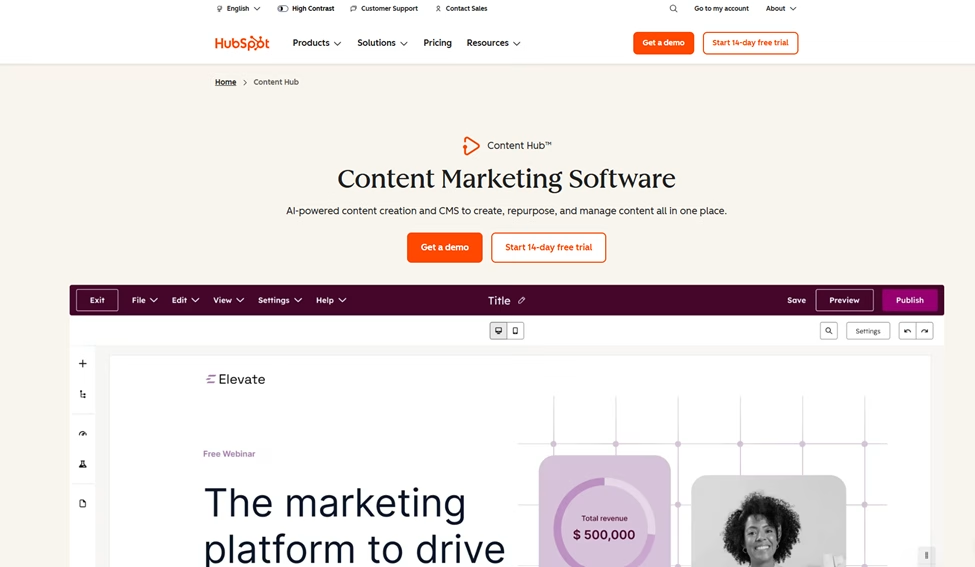
Content Hub is HubSpot’s content marketing software, which helps organizations create and scale content. It has a wide array of capabilities to take your content to the next level. These capabilities include video and podcast hosting, advanced analytics, reporting, lead capturing, and content management.
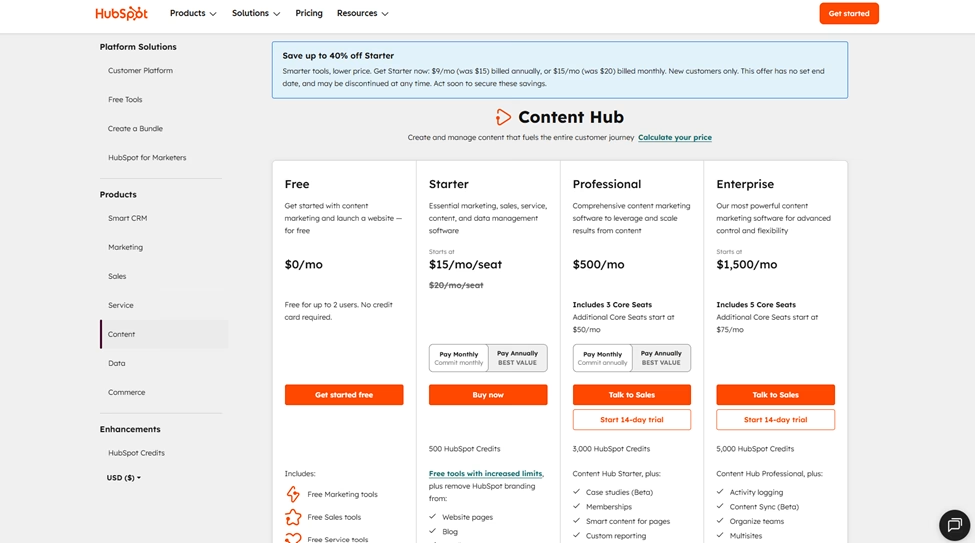
Pricing Range – Free to $1,500 (Per month)
Important Note – If you choose the annual payment plan, the Starter and Professional plans are cheaper than the monthly plan. The Starter plan is $9, and the Professional is $450 per month.
Key Features
- Content generation via AI
- Lead capture features
- A/B testing capabilities
- Lead scoring capabilities
Pros
- Offers a free version
- Pricing (specifically for individuals and small teams)
- Educational content library
- 24/7 customer support services
- Onboarding services
- Ability to build landing pages and blogs
- Omni-channel marketing automation
Cons
- Extensive learning curve
- Free plan features are limited
2. WordPress (WordPress.org)
Summary
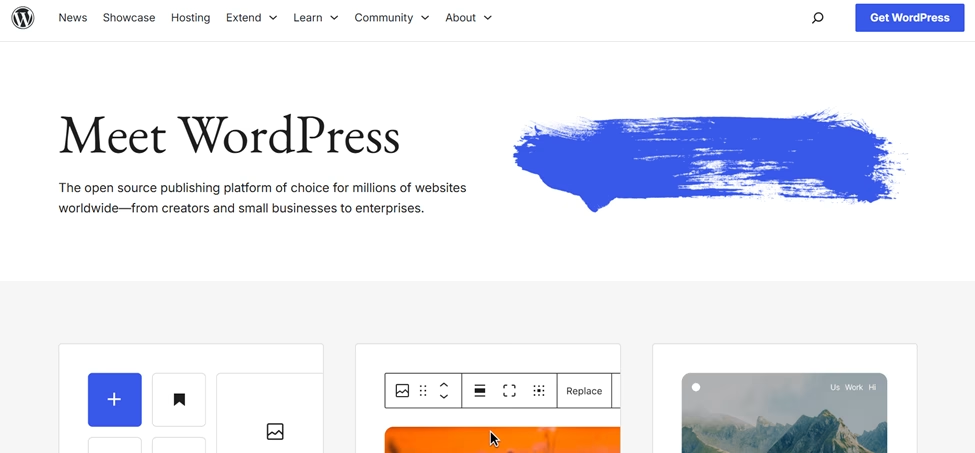
WordPress is a content management system designed for website creators. The platform is open source and offers many features for creating content and websites. WordPress allows users to customize content and optimize content on beautifully developed websites. The software platform’s content management capabilities make it ideal for content creators and organizations of all sizes who must create, manage, and publish content in a timely and efficient manner.
Pricing Range – Free
Important Note – Although WordPress is free, it requires a web hosting provider and a domain, which will come with a cost.
Key Features
- Grants website owners the opportunity to scale content
- Intuitive and user-friendly dashboard
- Thousands of free and premium extensions
Pros
- Product is free
- Community support and resources
- Regular updates and security improvements
- Document library comes with the following:
- FAQs
- Technical guides
- Support guides
Cons
- Requires technical knowledge for advanced customization.
- Outside of the WordPress tool itself, the domain and hosting can be expensive, depending on what the owner chooses.
- Plugin conflicts can cause functionality issues.
- Regular maintenance is required for optimal performance.
3. Wix
Summary
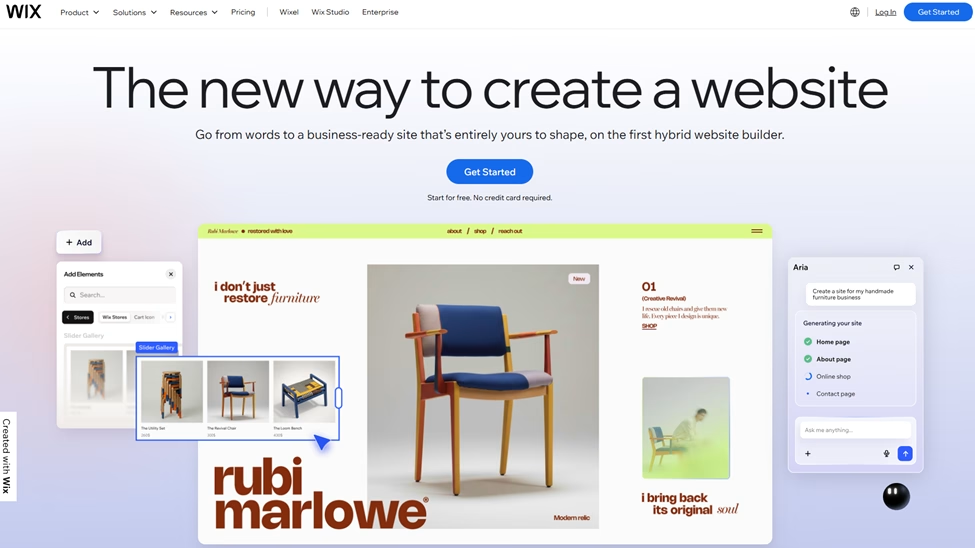
Wix is a user-friendly website builder and content management system. The platform lets users create and manage websites. Like WordPress, it lets you create and manage websites without any coding knowledge. The platform offers drag-and-drop functionality and hundreds of customizable templates. Wix also offers built-in SEO tools to help you optimize your content for search engines. With integrated blogging capabilities, media management, and mobile optimization, Wix makes it easy for individuals and small businesses to publish and update content quickly.
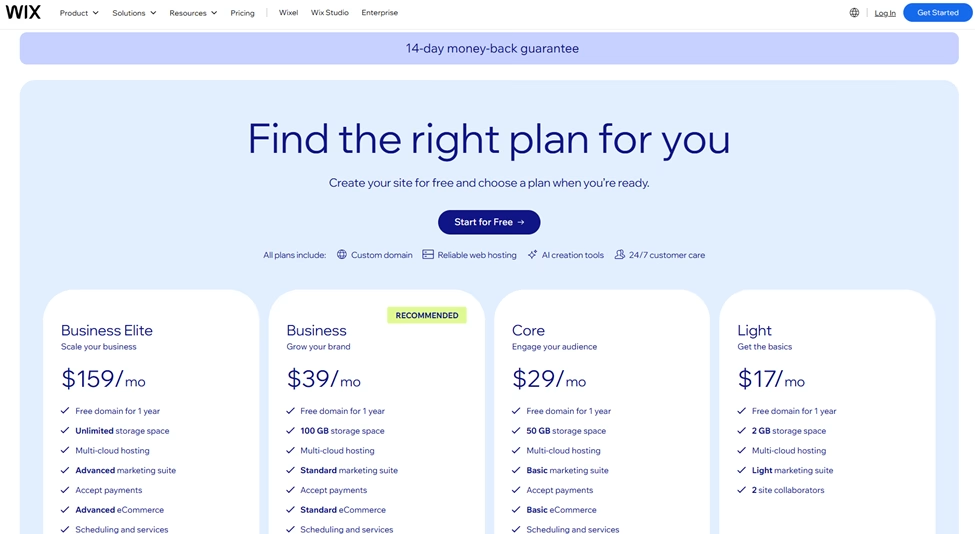
Pricing Range – Free to $159 (Per month)
Key Features
- Strong storage space options ranging from 2 GB to unlimited
- Multi-cloud hosting
- Offers a free domain for 1 year
- The primary user can leverage between 2 and 100 site collaborators.
- Accepts online customer payments
Pros
- Offers a free plan option
- Offers over 2000 customizable templates
- Offers the account owner the ability to build multiple websites
Cons
- The free plan has limited features.
- Wix’s extensive features can pose a steep learning curve, especially for new users.
4. Squarespace
Summary
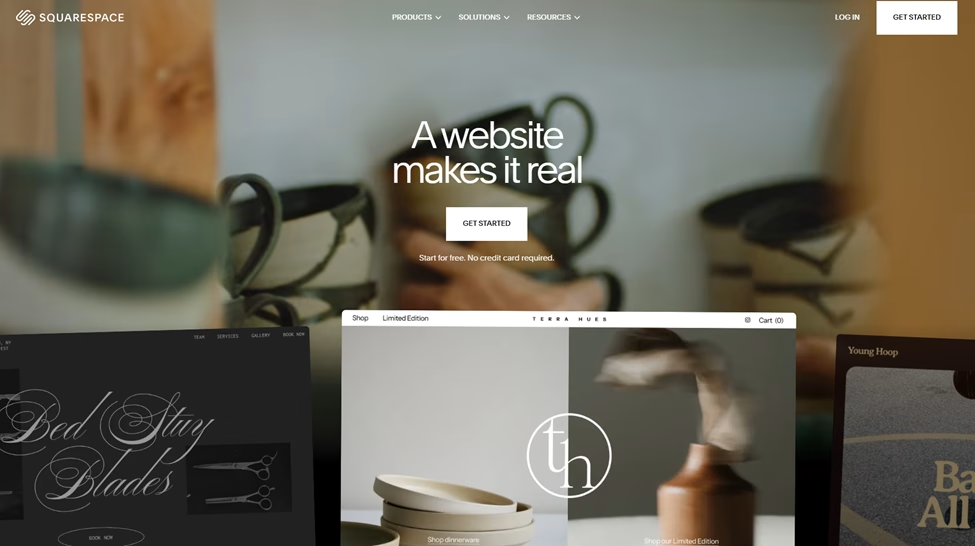
Squarespace is a website builder and content management system known for its stunning, professionally designed templates and intuitive interface. The platform excels at helping creative professionals and businesses build visually appealing websites. Squarespace provides users with seamless content management, including scheduled publishing, SEO optimization, and integrated analytics to track content performance.
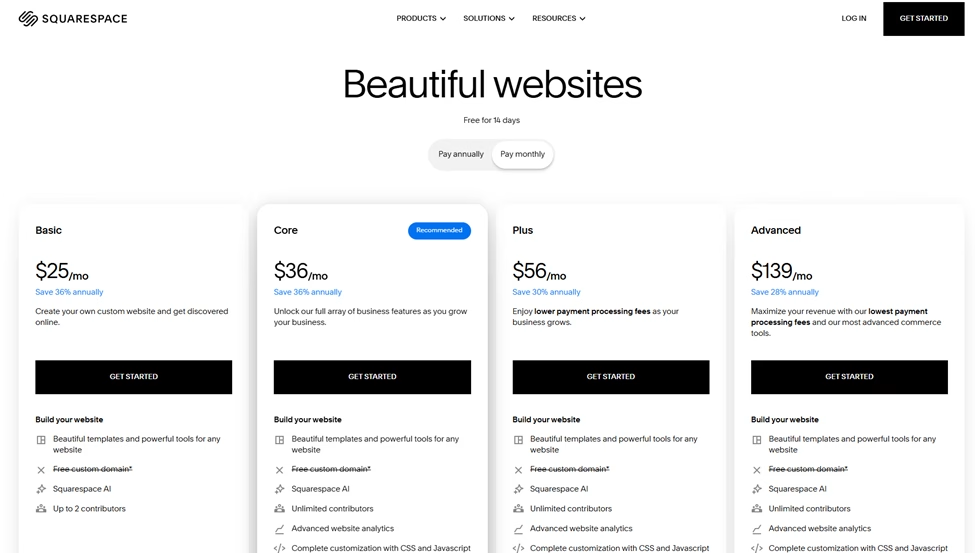
Pricing Range – $25 to $139 (Per month)
Important Note – The average annual payment plan is cheaper. The monthly price range for the annual plan is $16 to $99.
Key Features
- Accepts customer payments
- Offers website templates
- Drag and drop editors
- Built-in SEO features, including:
- Keyword analysis
- Track site content
- Automated site maps
- Platform integration, including the following:
- Mailchimp
- Zapier
Pros
- A 14-day free plan is offered
- 24/7 customer support
- Video hosting and storage
- SSL Security
Cons
- Although Squarespace has a 14-day free plan, it does not offer a permanent free plan option.
5. Joomla
Summary
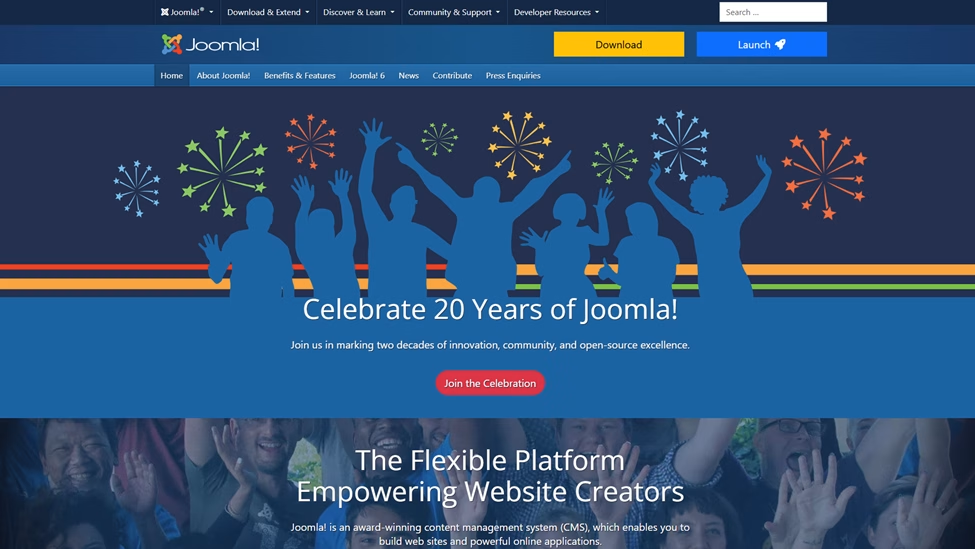
Joomla is a free, open-source content management system that offers greater flexibility and control than beginner-focused platforms, while remaining more user-friendly than other complex alternatives. The platform provides robust content organization with advanced user management, multilingual support, and a large extension library. Joomla is well-suited for community-based websites, e-commerce stores, and organizations that need detailed control over user permissions and content workflows.
Pricing Range – Free
Important Note – Although free, users are responsible for paying for the domain name and web hosting
Key Features
- RSS feed creation
- News feed generator
- Joomla offers 15 different custom field types, including the following:
- Users
- Contacts
Pros
- Free plan
- Mobile friendly
- Training courses offered
- Strong search function
Cons
- Users are responsible for paying for the domain name and web hosting.
- Although very user-friendly, Joomla can be very complex if users want to heavily customize their website.
Benefits of CMS Platforms
CMS platforms offer users many benefits. Here is a list of some of the most valuable benefits you’ll gain when using a content management system for your website.
Streamlines Content Production Process
Streamlining your content production process is obviously vital to the success of your content development. A CMS tool comes with many features that make tasks quicker and easier to complete. For example, most CMS tools have visual drag-and-drop editors for quick, easy page building, as well as built-in blogging capabilities for automated post scheduling.
Enhances Website Security and Data Protection
Although your website comes with various security features from your web host, there are many plugins that enhance security and data protection. Plug-ins are additional mechanisms you can download into your CMS to improve the website as a whole. For example, you can download a plugin like Yoast SEO, an all-in-one SEO solution that helps with on-page SEO and content analysis. For CMS’ like WordPress, you can download some of the following plug-ins that can enhance security:
- Wordfence Security – Provides firewall protection, malware scanning, login security, and real-time threat defense to protect your WordPress site from attacks.
- Sucuri Security (Auditor Malware Scanner) – Offers security activity auditing, file integrity monitoring, remote malware scanning, and post-hack security actions.
- Solid Security Pro (Solid WP) – Formerly known as iThemes Security is a password protector that delivers two-factor authentication, brute force protection, database backups, and file change detection to strengthen site security.
- All In One WP Security & Firewall (AIOS) – Features user account security, login lockdown, database security, and firewall rules with a user-friendly interface.
- Jetpack Security – Includes real-time backups, malware scanning, spam protection, and downtime monitoring in one comprehensive security solution. The tool also includes free features such as stats, CDN, and social sharing.
This list is by no means exhaustive, but it is just a sample of the many plug-ins you can leverage to enhance your website’s security and privacy.
Improves Team Collaboration Capabilities
The best CMS for content strategy centralizes important tasks like assigning roles to team members, such as administrators, editors, authors, and contributors. This ensures that each person has the appropriate level of access based on their responsibilities.
CMS can also allow multi-user editing and make real-time updates. Other team collaboration capabilities also include enabling teams to establish content workflows. Content workflows allow owners to draft content and move it through various review stages before publication. Content can be flagged as “draft,” “pending review,” or “scheduled,” ensuring nothing goes live without proper approval.
Simplifies SEO and Content Optimization
A content management system makes it easier for the website owner to optimize their content. The tool helps optimize your content for search engines without requiring technical SEO expertise. Built-in SEO tools help you manage meta descriptions, title tags, URL structures, and image alt text directly from the content editor.
Improves Content Quality and Consistency
CMS’s software provides standardized templates and approval workflows. These features can help your content team ensure all content meets quality standards and maintains a consistent voice and messaging across all your distribution channels.
How to Choose the Best CMS for You
Before you touch specific platforms, you need to develop a quick checklist. Otherwise, every CMS demo will look impressive, and you will feel more confused when it’s time to make a decision later. There are many CMS solutions on the market, but only a few will fit your specific needs.
Price
The product’s price should be your guide. When developing your list, focus on what you can afford first. Don’t include products that you can’t safely pay for on a monthly basis, as most CMS tools are on a monthly subscription pricing plan.
Ease of Use
The ease of use of a tool is also very important. Many people want tools that you can pick up and go. When looking for a tool, try to investigate whether there are how-to guides, training offerings, and a free trial available. Free trials help gauge how fast you can use a tool, as they are time-limited. Fortunately, there are many CMS’ that have great user interfaces and, as previously stated, don’t require website owners to be website developers.
Features
The features of a tool are another important criterion when investigating software tools. Ensure you choose something that meets everyone on your team’s needs. The features must align with your goals and strategies. When choosing the best CMS for content strategy, you need to develop a list of non-negotiable features, like those listed below.
SEO and Technical Foundations
SEO is still one of the strongest traffic channels for long-form content. As of 2025, organic search accounts for 46.98% of global website traffic, while social media platforms account for only 10.12%. This means that organic search delivers nearly 5 times as much traffic as social media. So, your CMS platform has to help your SEO, not quietly hurt it.
Content Workflows, Drafting, and Approval
If you ever lost track of which draft was final, you know how messy publishing workflows can get. As soon as you add one more writer, editor, or stakeholder, comments inside Google Docs are not enough. Content teams need clarity on who is doing what. Look for features like content scheduling, content history, and the ability to draft and preview without breaking your live site.
Data, Cookies, and Personalization
Modern content strategy depends on feedback loops. You post, observe behavior, then adjust your topics and formats. A good CMS gives you the performance data you need without turning your dashboard into a puzzle.
Integration With Your Broader Content Strategy
Your content isn’t just blog posts anymore. It is landing pages, resource hubs, lead magnets, and social content all feeding into the same core plan. A single platform that unifies these efforts can save you hours of manual work. Your CMS should integrate with CRM, email, analytics, and maybe AI for drafting, so you can plan a single content calendar that lives across channels.
Support, Community, and Ecosystem
It’s unfortunate that no matter how tech-savvy you are, you will hit problems. You will need tutorials, code snippets, plugin suggestions, or just a clear answer about why your site is suddenly slow. A user-friendly interface is great, but things still break.
This is where adoption matters. WordPress powers at least 43 percent of websites on the internet, which means you are rarely the first person to have issues. Big communities like that usually come with forums, helpful tutorials, and third-party plugins.
How To Match A CMS To Your Content Strategy
You do not need a massive tech stack to win with content. You need to understand your content strategy and align it with your eventual CMS.
Here is a simple way to narrow things down.
Step 1 – Clarify Your Main Channel and Offer
Are you trying to drive discovery from Google, grow a list, sell services, or build a personal brand? Your answer should guide your tool choice. If your audience is strictly on mobile, you need a system that renders perfectly on the device they’re holding.
If you lean on search and long-form blog posts, build a web-first plan like the one in this content strategy guide. For example, a robust blogging CMS such as WordPress may be the best fit here. A platform like that excels at presenting standard content.
Step 2 – Decide How Sophisticated Your Strategy Will Be
Ask yourself, will you use AI, deep SEO research, and tight funnels, or keep it very lean for now due to your budget? If you are moving into detailed SEO and competitive research, a more advanced platform may help. If this is the case, you’ll need a CMS with many integration options that allow you to add plug-ins/add-ons to your platform.
Step 3 – Factor in Data, Privacy, and Compliance
The more serious your content program gets, the more you care about privacy, tracking, and how visitor data flows across systems. Cookie declarations and consent banners stop being “extra” and start feeling required. This is doubly true for regulated industries requiring strict compliance standards such as finance, banking and defense. As someone who lives and breathes information security and compliance for a living, keeping your data safe is essential.
Step 4 – Check Real User Feedback
Slick marketing pages rarely mention the rough edges you will deal with every week. This is where user review sites and third-party roundups come in. Platforms offer many promises, but user reviews tell the truth.
Look at tools like G2, where people share their experiences with different CMS options in their daily workflows. You will often see patterns around ease of use, speed, support, and overall pros and cons.
Step 5 – Consider Developer Availability
Some platforms allow you to build custom functionality, but that requires code. If you choose a modern CMS with a headless architecture, you absolutely need developer support. Simple content creators often struggle with these systems without technical help.
Conclusion
Your CMS is not just a place you paste drafts. It shapes how fast you can move, how deep your analytics go, and how stress-free your publishing life feels. Choosing the best CMS for content strategy requires a clear set of criteria. In addition, you have to understand how to match your ideal CMS to your existing content strategy.
With your content strategy in place, it will be easier to choose the right CMS for you. With both the content strategy and CMS aligned, you will spend less time wrestling with your platform and more time writing, publishing, and building the body of work that brings you real freedom.