
With remote work expanding, content collaboration tools have become vital. The global collaboration software market was valued at $18.2 billion in 2024 and is forecast to grow at a 7.7% annual rate from 2025 to 2034. These tools help teams manage digital content regardless of location and enable writers, editors, designers, and stakeholders to collaborate in real time on documents and projects, streamlining version control and minimizing excessive emails.
Whether you manage a content team, work with freelancers, or oversee editorial workflows, the right collaboration tool boosts productivity and content quality. This guide covers what collaboration tools are, their key benefits, and the top five platforms to help your team create better content faster. It also helps you select the best tool for your needs.
What is a Content Collaboration Tool
A content collaboration tool is software that helps team members manage content by allowing them to:
- Create content
- Edit content
- Review content
- Create comments
A content collaboration tool’s strength lies in enabling your team to manage documents centrally with version control. These tools enable real-time editing and task assignment. They reduce siloed work by bringing writers, editors, designers, and stakeholders onto a single platform to collaborate and track progress. Such a tool is crucial for executing your content strategy and content workflow process effectively.
5 Best Content Collaboration Tools
1. Google Docs
Summary
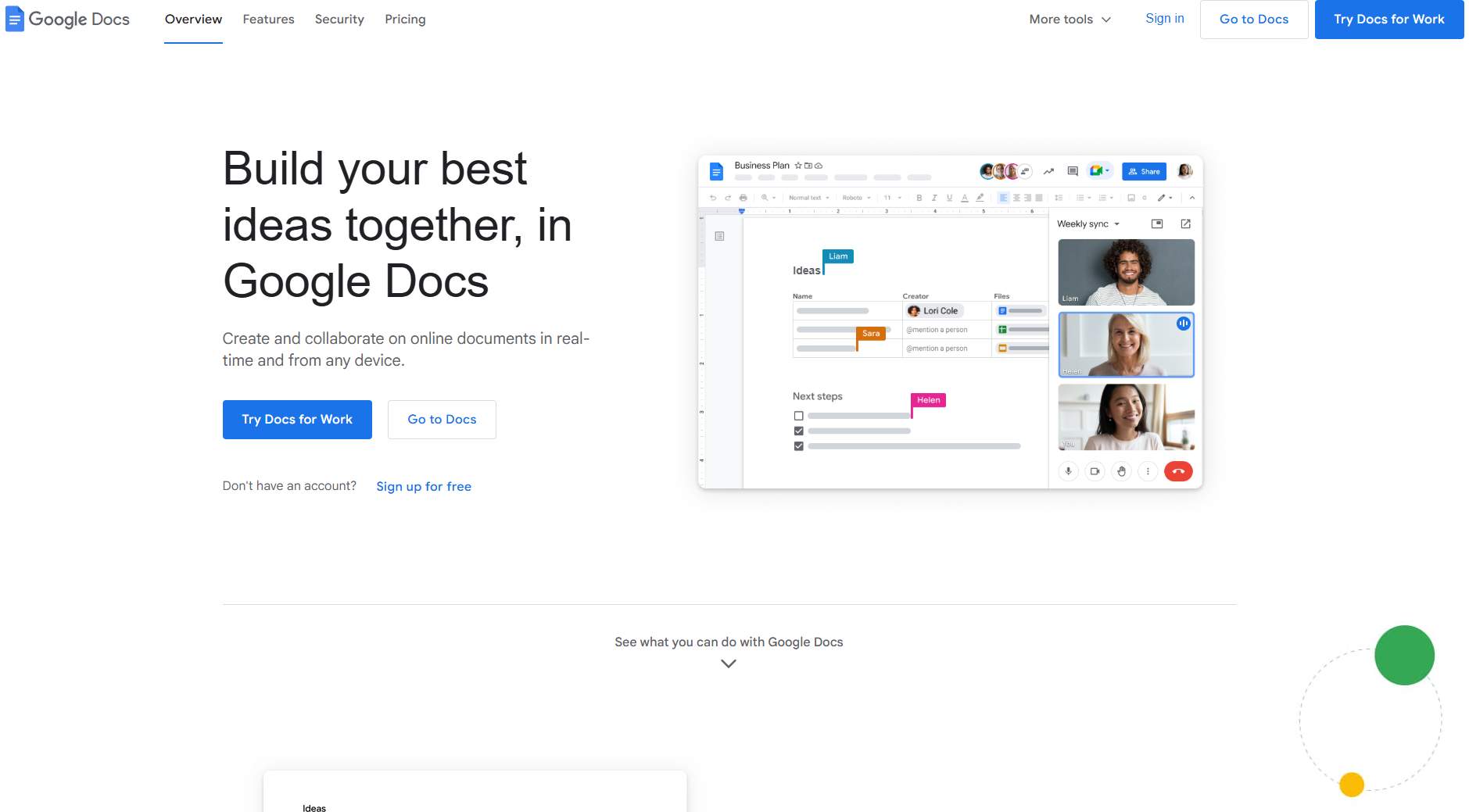
Google Docs is Google’s cloud-based word processor. It enables real-time collaboration and intuitive document creation. The platform provides tools to streamline content creation and teamwork, including multi-user editing, version history, and a robust free plan.
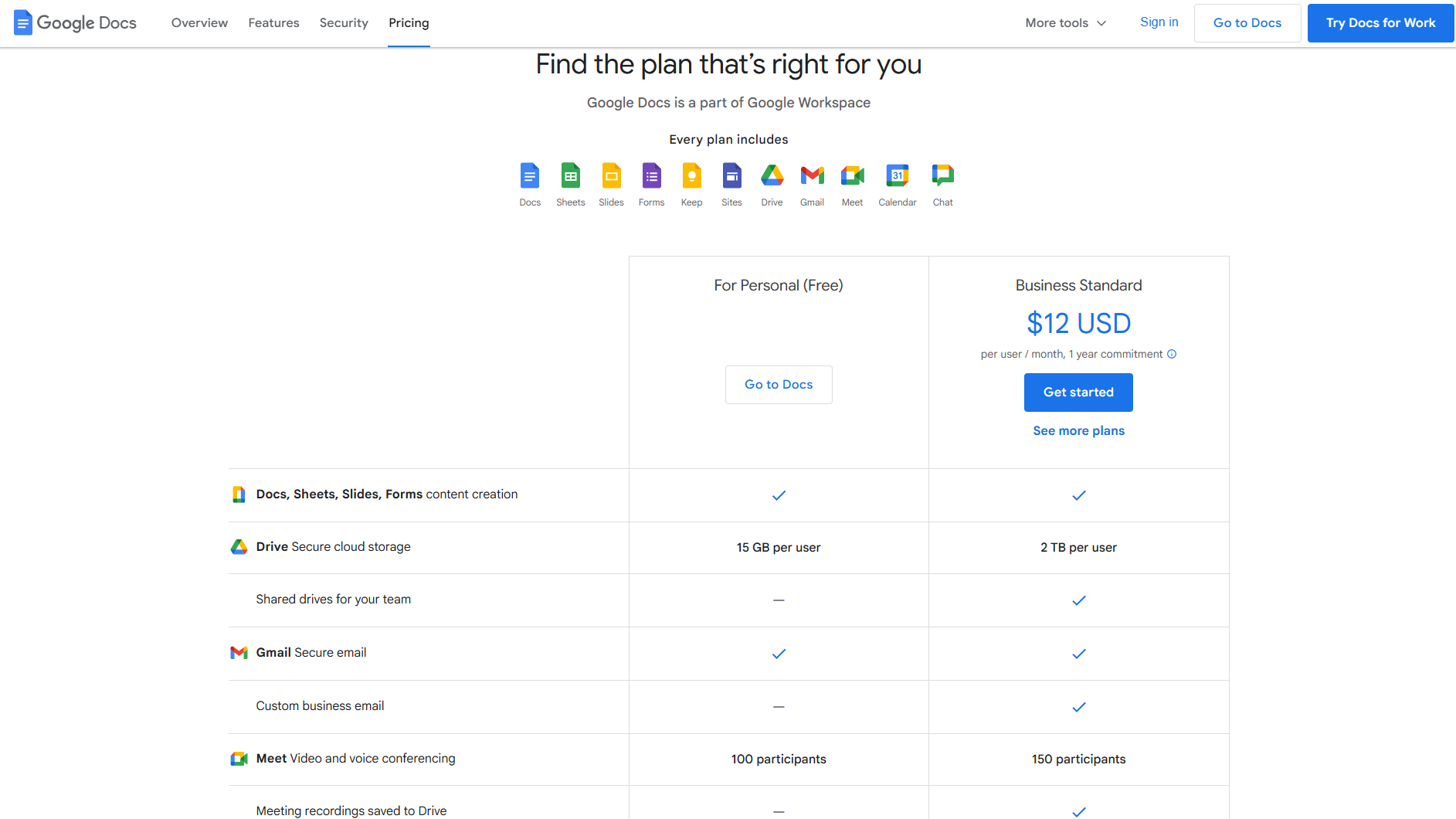
Pricing Range – Free to $12 per user (Per month for the Business Standard plan, one-year commitment required.)
Key Features
- Real-time collaboration with multiple users editing simultaneously
- Robust version history and document recovery
- Comment and suggestion modes for editorial workflows
- Smart Compose and AI-powered writing suggestions
- Template gallery for various document types
- Voice typing capabilities
- Offline editing and auto-save functionality
- Integration with Google Drive storage
Pros
- Completely free for individual users with a gmail account
- No software installation required – browser-based
- Automatic saving eliminates the risk of lost work
- Accessible from any device with an internet connection
- Intuitive interface with minimal learning curve
- Robust sharing and permission controls
- Seamless integration with other Google tools (Sheets, Slides, Drive)
- Mobile apps available for iOS and Android
- Built-in research and citation tools
Cons
- Limited advanced formatting options compared to Microsoft Word
- Requires an internet connection for full functionality
- Fewer third-party integrations than some competitors
2. Microsoft Teams

Summary
Microsoft Teams is Microsoft’s unified communication and collaboration platform. It combines workplace chat, video meetings, file storage, and application integration, making it a powerful tool. Teams integrates deeply with the Microsoft 365 ecosystem and serves as a central hub for team communications and content.
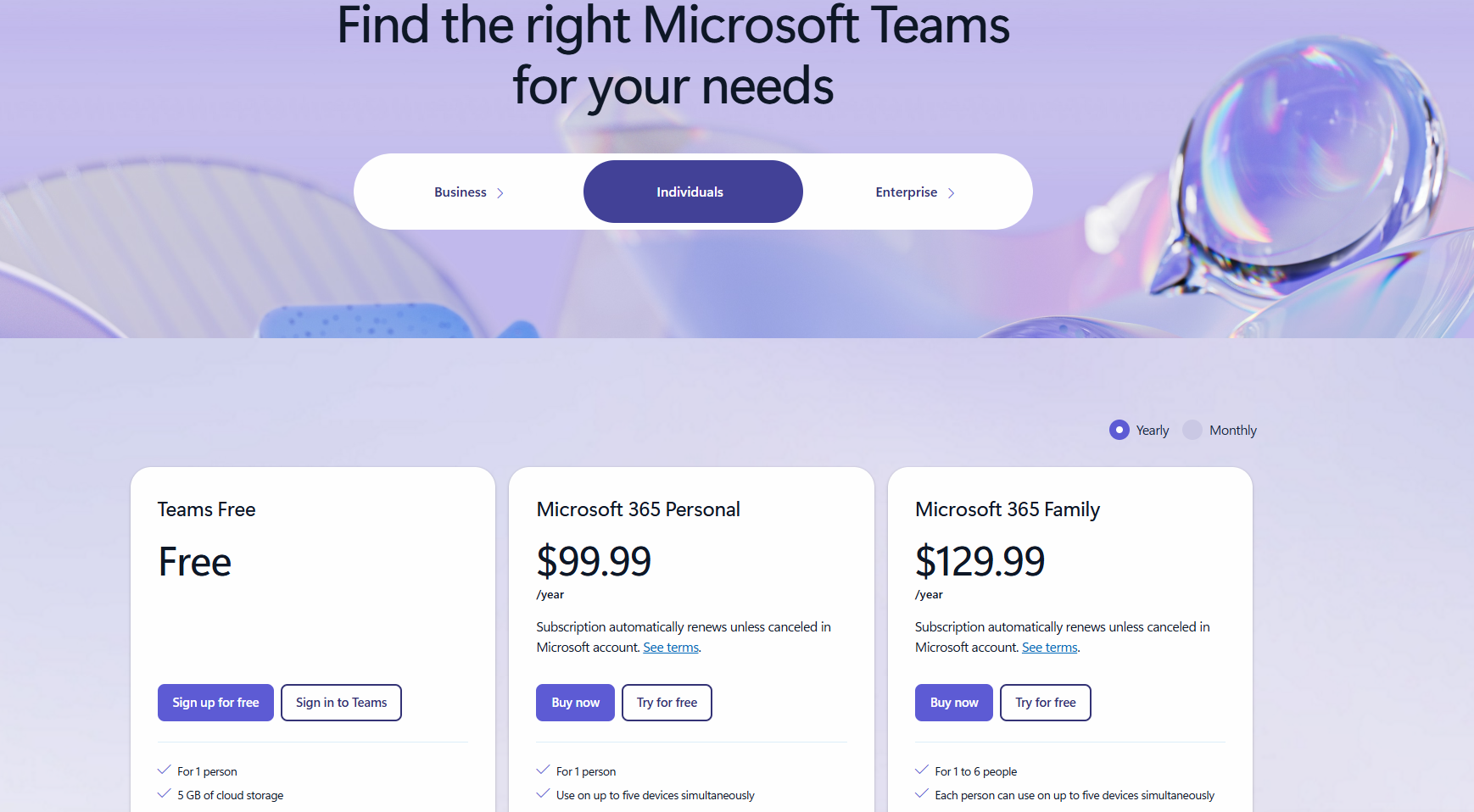
Pricing Range – Pricing ranges vary based on three option types, as shown below:
- Business Plan – $4 to $12.50 (Per user, per month/paid annually)
- Individual Plan – Free to $12.99 (Per month) – Screenshot shown below.
- Enterprise Plan – $8.55 to $57.00 (Per user, per month/paid annually)
Key Features
- Persistent chat channels organized by teams and topics
- Integrated video conferencing and screen sharing
- Real-time document co-authoring with Office 365 apps
- File sharing and cloud storage via SharePoint
- @mentions and threaded conversations
- Integration with 1,000+ third-party apps
- Meeting recording and transcription
- Workflow automation capabilities
Pros
- Free version available with essential features
- Seamless integration with Microsoft Office applications
- All-in-one platform for chat, meetings, and file collaboration
- Enterprise-grade security and compliance features
- Robust search functionality across messages and files
- External guest access for client collaboration
- Mobile apps for iOS and Android
- Offers storage capabilities
- Unlimited chat
- Data is encrypted for meetings, chats, calls, and files
- Group calling for 60 minutes and 100 participants
Cons
- It can feel overwhelming with numerous features and options
- Notifications can become excessive without proper management
- Performance issues with large file transfers
- Learning curve for users unfamiliar with the Microsoft ecosystem
- Limited storage on free plan (5 GB per user)
3. ClickUp
Summary
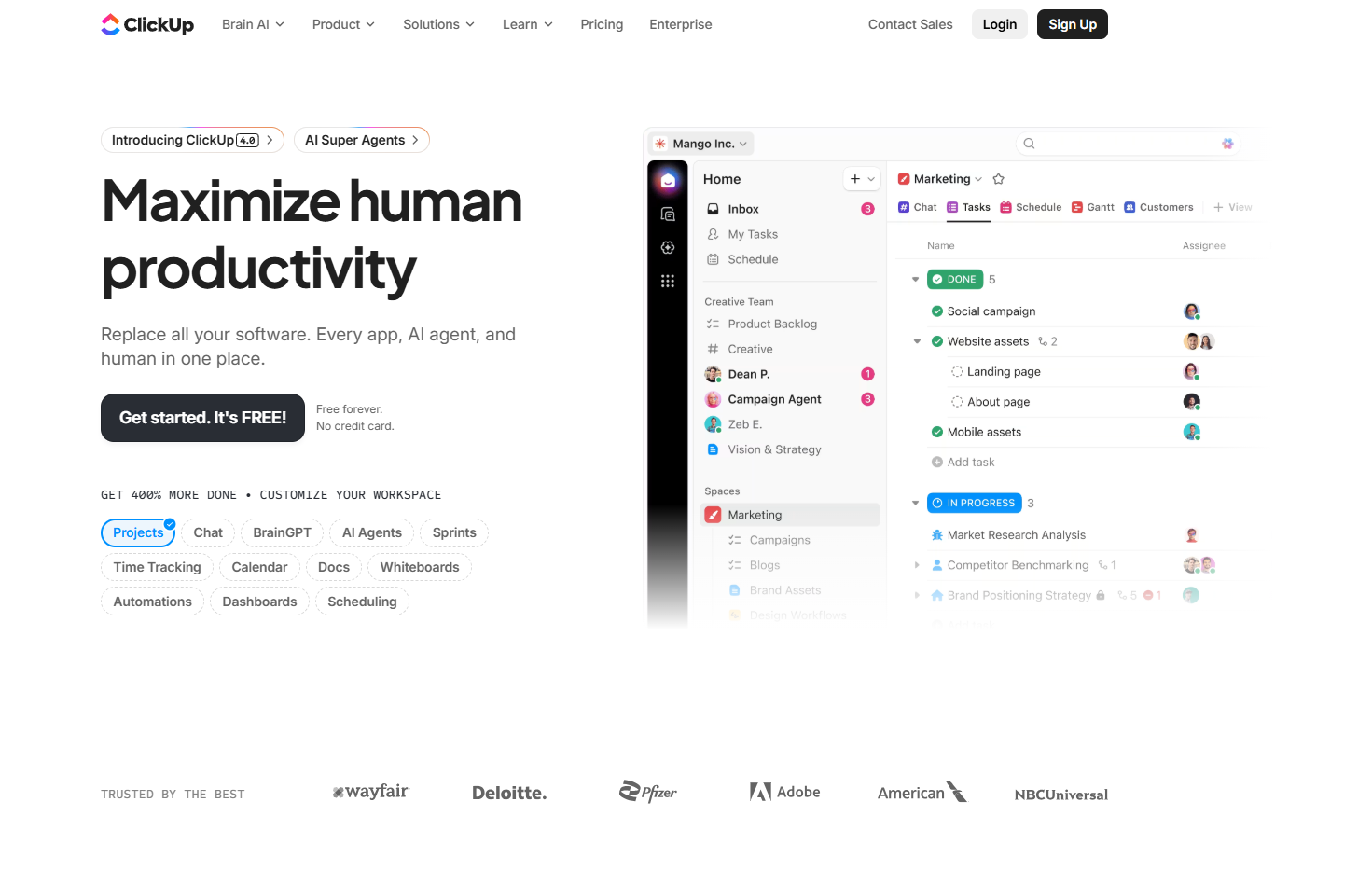
ClickUp is a content collaboration tool that allows users to manage projects, track tasks, collaborate on documents, and communicate with teams. Combining these features into one platform also makes it a highly effective productivity tool.
ClickUp offers comprehensive capabilities for content teams, including hierarchical project structures, multiple view options (list, board, calendar, Gantt chart), and real-time collaboration in docs.
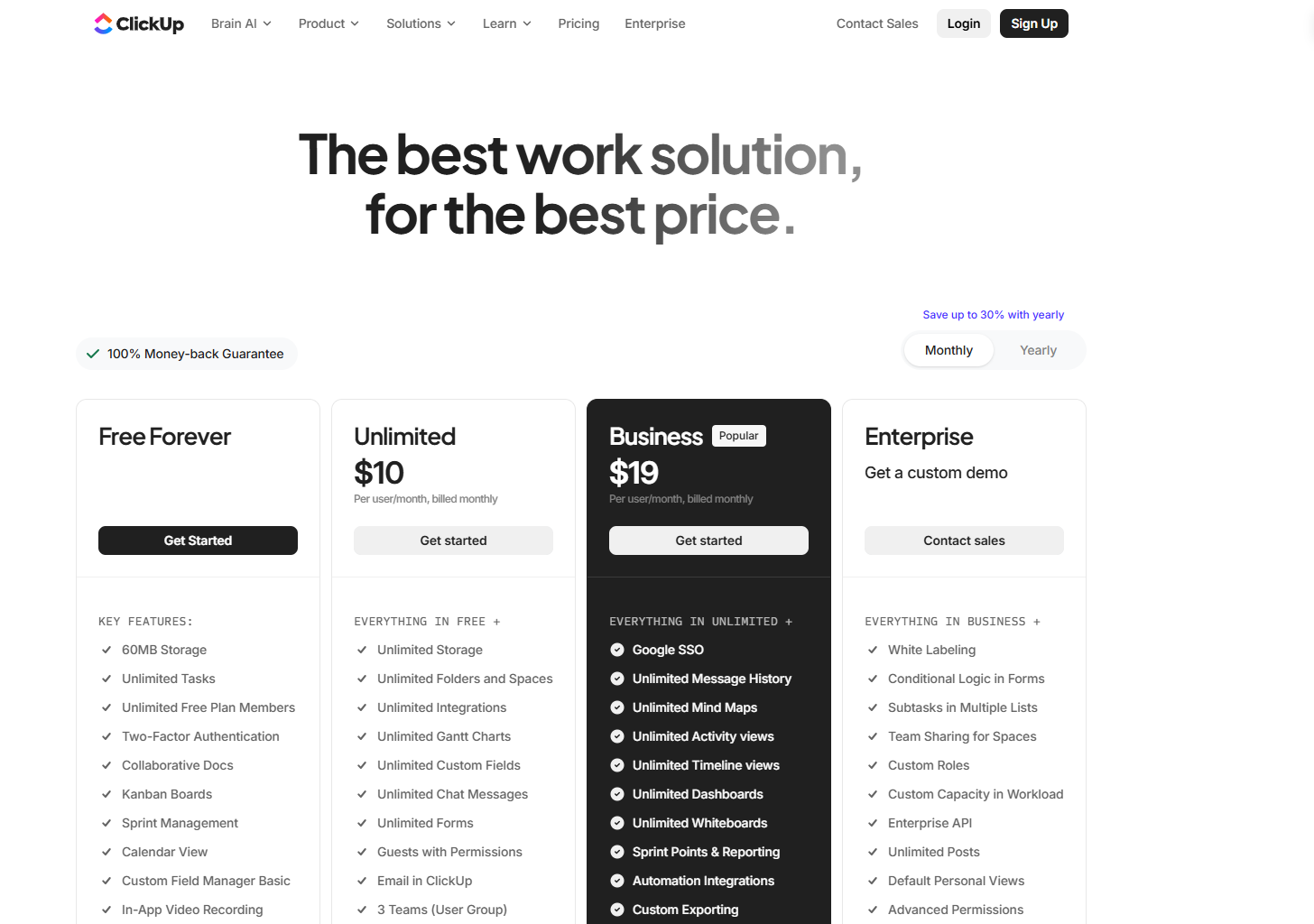
Pricing Range – Free to $19 per user (Per month for Business Plus)
Key Features
- Multiple project views, including the following:
- Lists
- Boards
- Calendars
- Gantt Charts
- Timelines
- ClickUp docs with real-time collaboration
- Custom fields and task statuses
- Goal tracking with progress monitoring
- Time tracking and workload management
- Automation for workflow efficiency
- AI writing assistant (ClickUp AI)
- Chat and commenting
- Custom dashboards and reporting
Pros
- Generous free plan with unlimited tasks and members
- Highly customizable to fit various team workflows
- Extensive integration ecosystem (1,000+ apps)
- Strong mobile apps for iOS and Android
- Unlimited storage
- 24/7 customer support
- Unlimited free plan members
- Two-Factor Authentication
Cons
- Steep learning curve due to extensive features
- It can feel overwhelming for new users
- Some advanced features are only available on higher tiers
- AI features require additional payment
- Security and compliance regulations require the Enterprise (custom) plan, such as SSO, MSA, and HIPAA
4.Trello
Summary
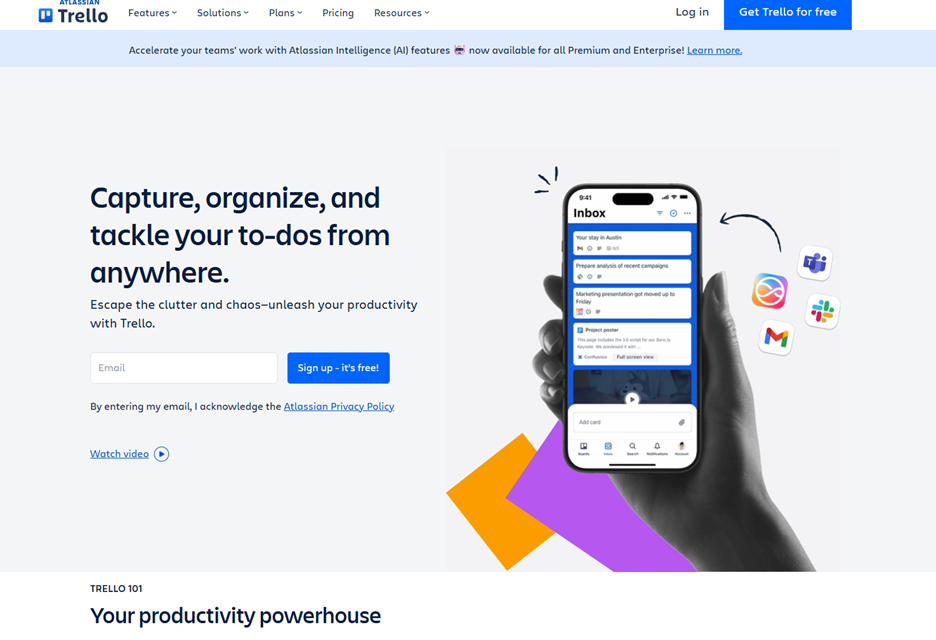
Trello is an amazing content collaboration tool. The platform allows users to manage daily and professional tasks and projects. Trello offers various capabilities, such as workflow automation and the ability to review team and individual projects. It is flexible, as it can be used both personally and professionally. The tool excels at managing key aspects of content planning, making it easier to organize and align with business objectives.
Availability –Android, iOS, PC, and web app (Chrome, Firefox, Edge, and Safari)
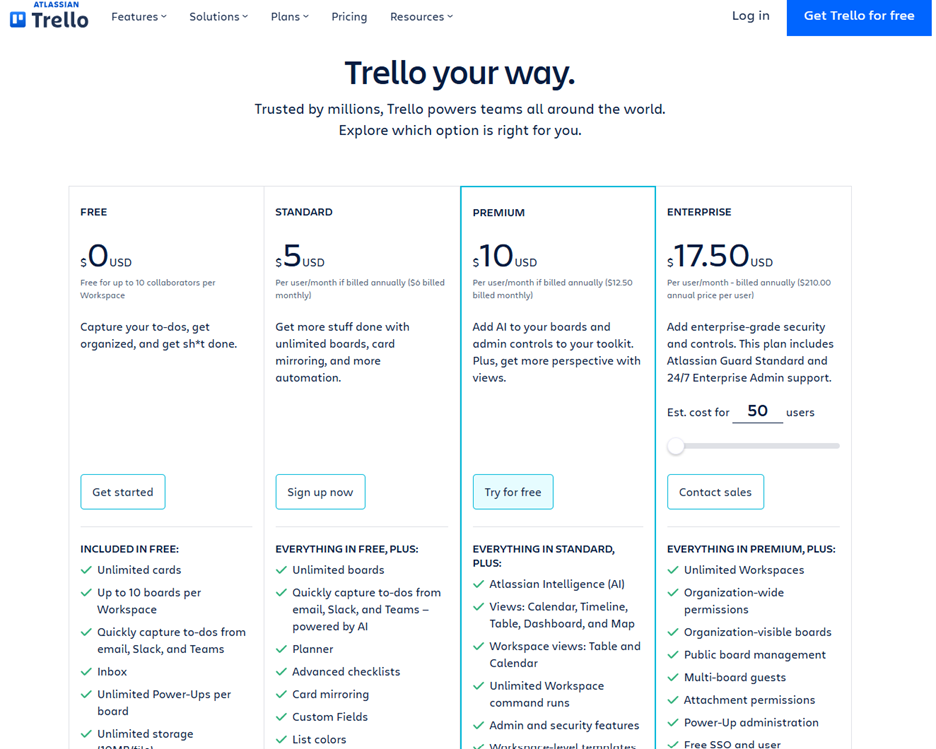
Price Range – Free to $17.50 (Per month, billed annually)
Important Note – The Enterprise plan costs $17.50 per user with a minimum base of 50 users. Organizations with more than 5,000 users must contact pricing team.
Key Features
- AI capabilities
- Easy-to-use templates
- Integrations with other applications
- Ability to view calendars, timelines, tables, dashboards, and maps
- Workflow Automation
- Ability to view team projects
Pros
- Offers a free version
- Offers different view types, including calendar, timeline, table, dashboards, and mapping
- Integrations with other applications, including the following:
- Slack
- Teams
- Workflow automation
- Workspace command runs
- Ability to sync with your other devices
- Product guides
- Unlimited storage (10MB/file)
- Unlimited activity logs
- Calendar and event synchronization capabilities
Cons
- Pricing plan costs are per user
- Security capabilities, including SAML single sign-on and 2-Factor Authentication, are add-ons and can only be used if you pay an additional $4 per month
5. Slack
Summary
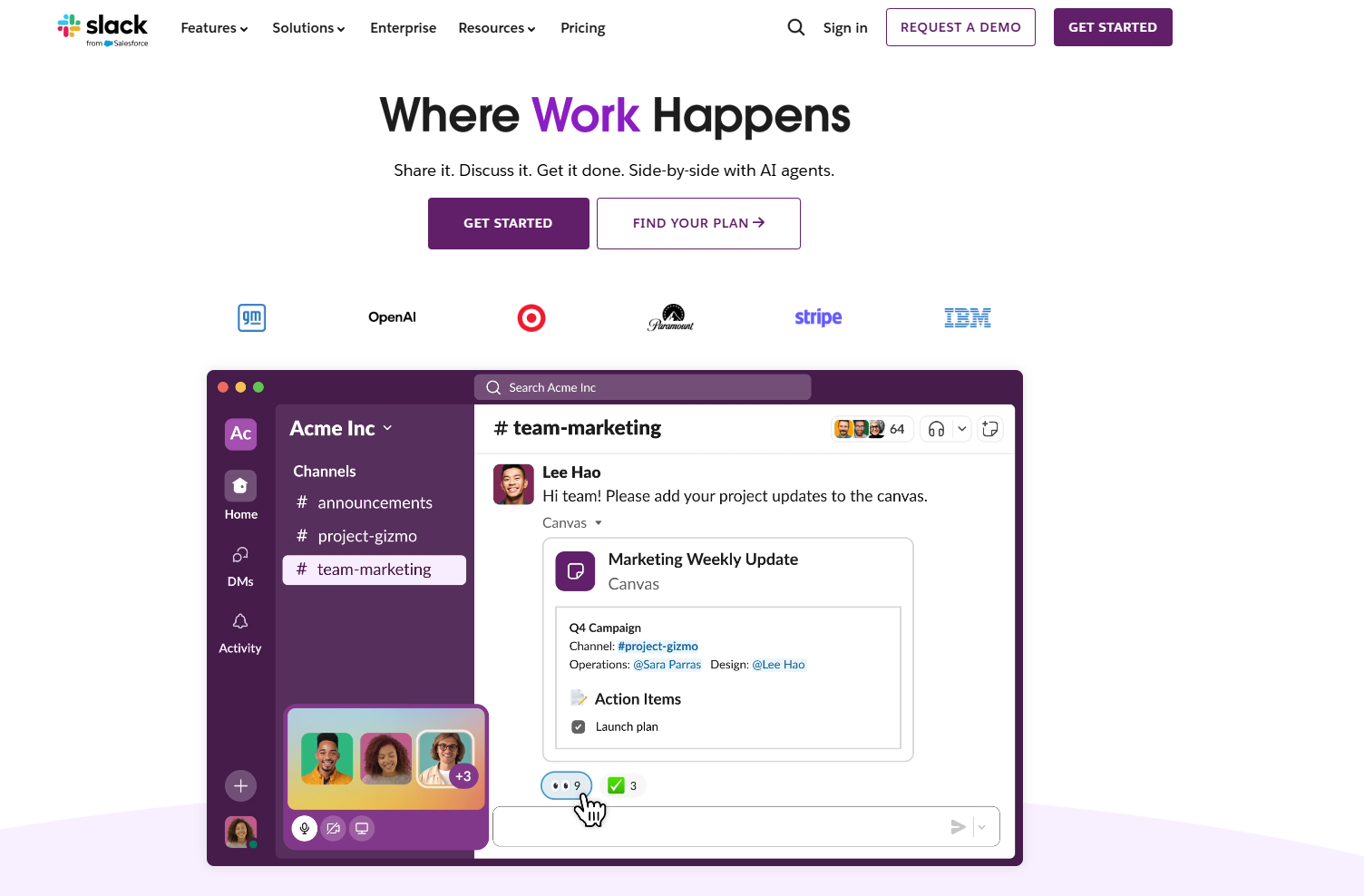
Slack is a business communication platform that organizes conversations into channels. It offers direct messaging, file sharing, and broad app integrations. Unlike other collaboration tools, Slack reduces email overload, centralizes communications, and creates a searchable archive of decisions. Its capabilities, such as threaded conversations and file sharing, enhance collaboration.
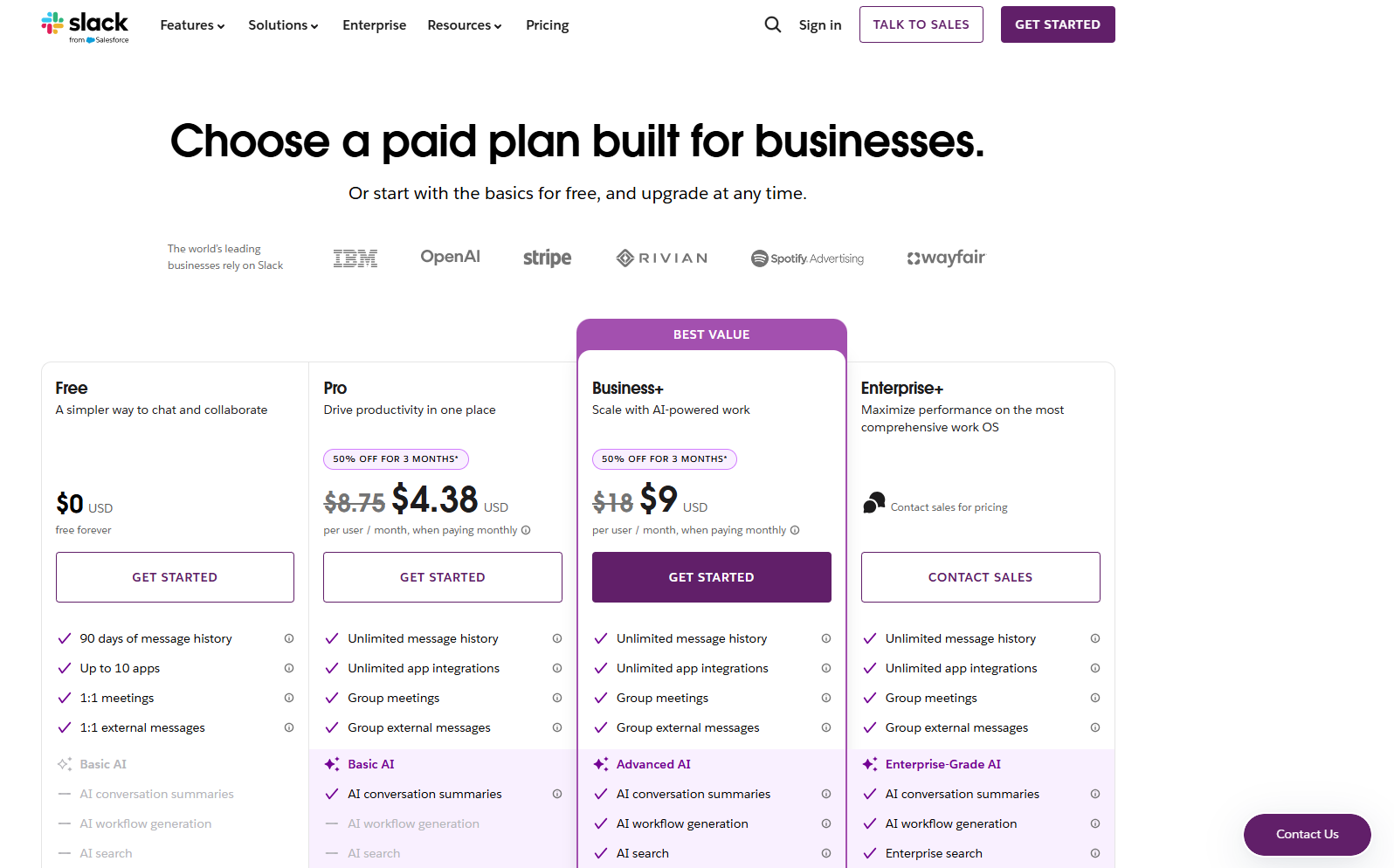
Pricing Range – Free to $9 per user (Per month for the Business+ plan)
Key Features
- Organized channels for topics, projects, or teams
- Direct messaging and group conversations
- Threaded replies to keep conversations organized
- File sharing with preview and commenting.
- Integration with 2,600+ apps and services
Pros
- Free plan available
- Intuitive interface with minimal learning curve
- Pro plan offers basic AI functions, specifically AI conversion summaries.
- Extensive third-party integrations, including the following:
- Google Drive
- Salesforce
- ChatGPT
- Jira
- External messaging
- Team huddle capabilities
- Screen sharing and huddles for quick sync-ups
Cons
- Message history is limited on the free plan (90 days)
- Can become distracting with constant notifications
- Important information can get lost in busy channels.
- Storage limitations on lower-tier plans
Benefits of Content Collaboration Tools
Like many tools and software platforms, they offer many benefits that help you and your organization perform your specific tasks. For content collaboration tools specifically, they offer many benefits. The key benefits are listed below.
Streamlines Team Communication
The ability to streamline your team’s communication is a key benefit for your content workflow. Without the ability to streamline your team’s ability to communicate on a given piece of content, you lose the ability to stay aligned and on task. Teams miss assignments and work on the same assignment or make changes without permission.
For example, if you have 5 team members working on a piece of content, and each member is required to focus on different aspects of the document and don’t, they run the risk of overriding each other’s work. Most content collaboration tools allow users to assign tasks and include chat features, enabling teams to stay in constant communication.
Enables Real-Time Collaboration
Collaborating in real time is arguably the most important feature of a content collaboration tool. Allowing multiple team members to work on the same document simultaneously helps your team stay aligned and on task.
The ability to make edits, add comments, and provide feedback instantly without waiting for files to be passed back and forth improves team productivity. I use Microsoft Teams daily and swear by it. I work with various teams throughout the day, and its chat features and video chat features make it easier to collaborate and stay updated with my co-workers’ status.
Centralizes Content and Files
These platforms serve as a single source of truth, where all content assets, drafts, and related files are stored in a single accessible location. This is great because it helps teams avoid creating duplicate versions of the same document.
Improves Project Visibility and Transparency
Content collaboration tools enable team members and stakeholders to easily track content progress and see who’s working on what. Granting team members the ability to monitor deadlines through dashboards and status updates reduces miscommunication and ensures everyone stays aligned.
Accelerates Content Production Timelines
The ability to increase the efficiency and speed of the content development process helps teams achieve success. Content collaboration tools do this by giving organizations the following:
- Streamlines workflows
- Reduces approval bottlenecks
- Eliminates time wasted searching for files or waiting for feedback
By performing these actions, your team will be able to publish more content.
How to Choose the Best Content Collaboration Tool for You
Price
The price of the platform you choose is the most important criterion. Your budget should be taken into account as it essentially controls what you can and can’t do. When choosing your platform, it’s important not to overspend. Most platforms are on a subscription basis (month-to-month).
That said, be sure you can comfortably afford the subscription on a monthly basis. Overspending will catch up with you and force you to change products if you can’t afford the one you ultimately choose.
Ease of Use
The ease of use of a platform is also vital to making the best choice. No one wants to invest money and time in something that will take a long time to learn. People want to pick it up and use it with little to no fuss.
Features
The features of a tool are also important; however, they can make decision-making tough. This is primarily because many people get weighed down by the myriad of features that many tools offer. The key is to focus on the features that matter most to you and your team. When it comes to content collaboration tools, specifically, the best features you want to focus on include the following:
- Chat Features
- Centralized Storage
- Version Control
- Role and Task Assignment Features
- Integration with other tools and platforms
At the end of the day, you ultimately decide on what aligns with your organization’s goals and strategies.
Help and Support
When looking for a platform, find one that offers help and support. For example:
- Free how-to guides
- Videos
- 24/7 Support team via chat, phone, or email
To add to the importance of a 24/7 support team, they are available around the clock in case you run into an issue. They are available at any time.
Scalability and Growth Potential
Scalability is another critical factor to consider when selecting a content collaboration tool. Your organization won’t stay the same size forever, so you need a platform that can grow with you. Look for tools that let you easily add or remove users, upgrade to higher-tier plans, and expand storage capacity as your content volume grows.
Additionally, consider whether the platform can handle more complex workflows as your team matures. A tool that works for a small team of five today should be able to support 20, 50, or even 100 users down the line without requiring you to migrate to an entirely new system. This saves you the headache and expense of switching platforms and retraining your team in the future. At the end of the day, investing in a scalable solution now protects you from outgrowing your tools later.
Conclusion
Choosing the right content collaboration tool is essential for improving your team’s productivity and content quality. The five tools covered in this guide, Google Docs, Microsoft Teams, ClickUp, Trello, and Slack, each offer unique strengths that cater to different team needs and workflows. Whether you prioritize real-time editing, project management, or seamless communication, there’s a platform that fits your needs.
The key is to evaluate your specific needs, budget, and team size before making a decision. Consider the factors we discussed, including price, ease of use, features, support, and scalability. Remember that the best tool is the one your team will actually use consistently.
Don’t let analysis paralysis hold you back from improving your content workflow. Start by taking advantage of the free trials and free plans some of these platforms offer. Test them with your team, gather feedback, and make an informed decision based on real-world experience. Your content collaboration journey starts today. Take the first step and watch your team’s productivity soar and gain a healthy content ROI on your content strategy.