
A content strategy for LinkedIn is more than just posting occasional updates. It is a detailed plan to build your professional presence and expand your network. With a massive global user base of 1.15 billion as of January 2025, the LinkedIn platform offers a wealth of opportunities for individuals and businesses aiming to grow.
But how do you make your voice heard among millions of other professionals? A strong LinkedIn content marketing plan is your roadmap to standing out. This guide will show you how to craft a winning content strategy for LinkedIn from start to finish.
We will cover everything from identifying your target audience to measuring your success. Get ready to improve your LinkedIn results. Let’s get started.
Understanding Your LinkedIn Audience
Before creating content, it’s essential to know who you are trying to reach. LinkedIn is primarily for professional networking, so your audience likely includes potential customers, employers, or peers in your industry. A well-defined target audience is the foundation of any successful marketing strategy.
Take the time to research your connections and followers to gain a deeper understanding of them. Look at their job title, the companies they work for, and the industry news they find interesting. This information helps you craft content that speaks directly to the relevant people you want to engage.
Use LinkedIn analytics to gather data on your audience’s demographics and online behavior. These analytics tools provide valuable insights into who is viewing your content and what they respond to. This helps you refine your approach and deliver high-quality content that resonates.
Setting Clear Goals for Your LinkedIn Strategy
Like with any content strategy, defining what you want to achieve with your LinkedIn content is a critical first step. Having clear goals will shape your entire content marketing plan and give you a benchmark for success. These objectives should align with your broader business or personal branding goals.
Common goals for a LinkedIn strategy include:
- Increasing brand awareness among your target audience.
- Generating leads and nurturing potential customers.
- Establishing thought leadership in your industry.
- Driving website traffic to a blog post or landing page.
- Recruiting top talent for your organization.
Choose one or two primary goals to start. For example, if your main objective is lead generation, your content should focus on demonstrating value and including clear calls-to-action. If brand awareness is the priority, you might focus on creating shareable content that reaches a wider LinkedIn audience. The two previous goal examples are known as SMART goals. SMART goals are identified as:
- Specific
- Measurable
- Achievable
- Realistic
- Time-Bound
Setting SMART goals help avoid creating goals you have difficulty achieving.
Types of Content That Work on LinkedIn
The LinkedIn platform supports various content types, each with its own unique strengths. A varied content mix keeps your feed interesting and helps you connect with other segments of your audience. Experimenting with various content formats will help you determine what works best for your personal brand.
1. Text Posts
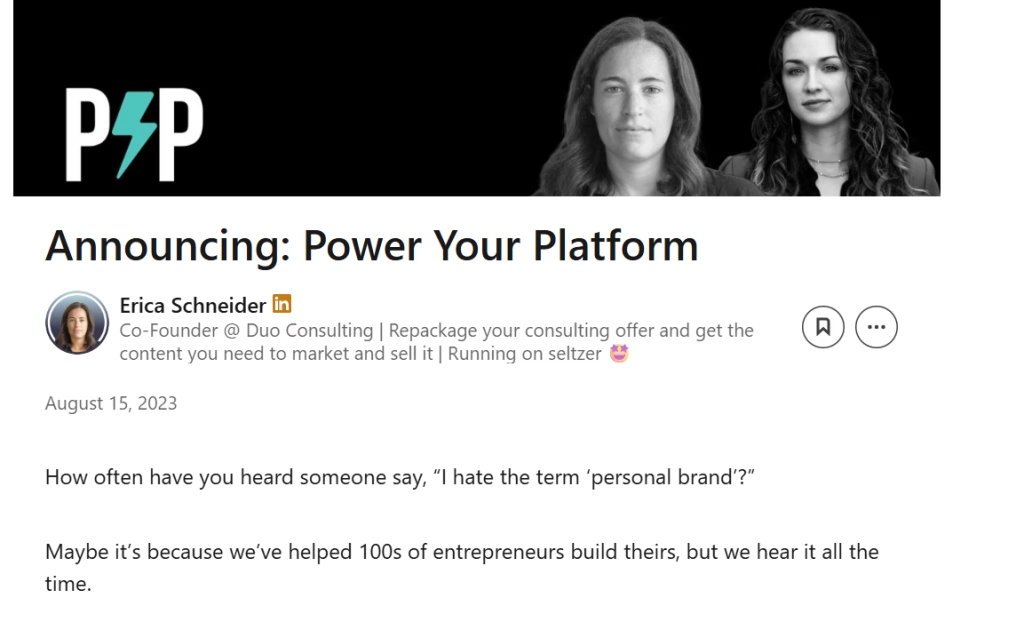
Simple text posts can be incredibly effective on LinkedIn if done correctly. Use them to share valuable insights, ask thought-provoking questions, or tell compelling stories related to your industry. To grab attention, start with a strong hook in the first line.
Keep text posts short and easy to read by using white space and short paragraphs. People often scroll quickly, so your message needs to be clear and concise. Ending with a question can boost engagement by prompting comments and discussion. Below is an example of a LinkedIn post.
(Source – LinkedIn)
2. Images and Infographics
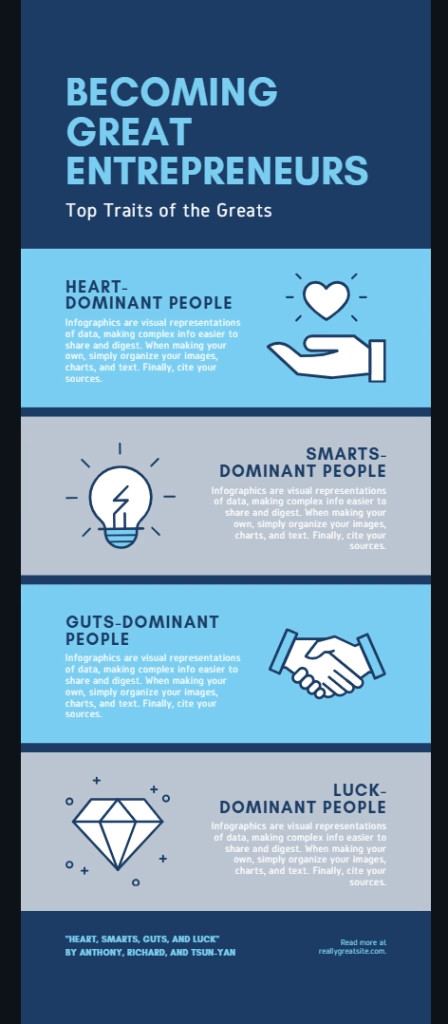
Visuals are essential for stopping the scroll and making your content more memorable. High-quality photos, graphics, and infographics can make complex information more accessible and easier to understand. Always use professional and relevant post images that support your message.
Infographics are perfect for presenting data, statistics, or step-by-step processes. Tools like Canva make it easy to create professional-looking visuals even without design experience. Combining insightful text with a compelling image is a powerful way to share content.
(Source – Canva)
3. Videos
Video content continues to dominate social media with 85% of internet users preferring video content over other forms of media, and LinkedIn is no exception. Short, informative videos often see high engagement rates. Use LinkedIn’s native video uploader for better performance in the LinkedIn algorithm.
Consider creating content like quick tips, behind-the-scenes looks at your company, or interviews with industry experts. Adding captions is important, as many users watch videos with the sound off. Photos, videos, and animated clips can also perform well.
4. Articles
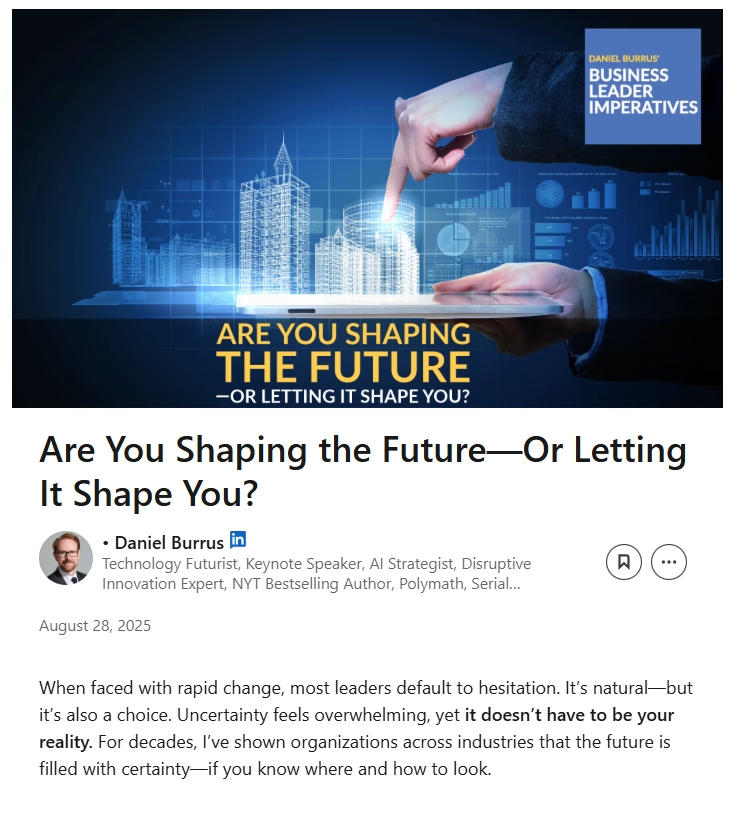
LinkedIn’s publishing platform is ideal for sharing long-form content. This is your chance to showcase your expertise on a specific topic and build your reputation as a thought leader. You can easily repurpose blog posts into articles on LinkedIn to extend their reach.
These articles are indexed by search engines, which can help your LinkedIn profile appear in Google search results. Promote your articles with a separate post to drive initial views. Well-researched articles on LinkedIn can become a cornerstone of your content plan.
5. Documents as Carousels
Sharing documents, such as PDFs or presentations, as a LinkedIn carousel is a highly engaging content format. Carousels encourage users to click through multiple slides, increasing the time they spend on your post. This positive signal can boost your organic reach.
You can use a LinkedIn carousel to share case studies, checklists, or key takeaways from a report. Each slide should be visually appealing and contain a small amount of text. This format is excellent for breaking down complex content ideas into digestible pieces.
Creating a Content Calendar for LinkedIn
Consistency is fundamental to a successful content strategy for LinkedIn. A content calendar helps you plan your posts, maintain a steady publishing schedule, and align your content with your goals. Planning reduces the stress of figuring out what to post each day.
Start by defining your content pillars, which are the main topics you will focus on. These pillars reflect your expertise and the interests of your target audience. A good mix of content pillars ensures your feed remains interesting and valuable. Examples of content pillars include:
- Pillar Article 1 – The Complete Beginner’s Guide to Starting a Fitness Routine
- Pillar Article 2 – Nutrition Strategies for Workout Performance and Recovery
- Pillar Article 3 – Home Workout Solutions for Any Space or Schedule
Next, decide on your posting frequency, whether it’s daily or a few times a week. Your calendar should include a mix of the different content types discussed earlier. Using a LinkedIn scheduling tool, such as Buffer, Hootsuite, or the platform’s native scheduler, can help you manage your posts efficiently. An example of a spreadsheet version of a content calendar. It’s great for organizations that are unable to or don’t want to use content calendar tools.
Weekly LinkedIn Content Calendar Example
| Day | Content Pillar | Content Format | Example Topic |
| Monday | Industry News | Text Post | Sharing an article on a new industry trend with your commentary |
| Tuesday | How-To Education | Carousel Post | A 5-slide guide on using a new software tool |
| Wednesday | Audience Engagement | LinkedIn Polls | Asking your network about their biggest challenge this quarter |
| Thursday | Thought Leadership | Video | A 2-minute video sharing your perspective on a recent development |
| Friday | Personal Brand and Culture | Image Post | A photo from a team event or celebrating a company milestone |
Creating High-Quality and Valuable Content
Quality trumps quantity on LinkedIn. Your content should provide real value to your audience. Share your expertise, offer practical advice, or provide unique insights into your industry.
When creating content, ask yourself: ‘Will this help my audience in some way?’ If the answer is yes, you’re on the right track.
Don’t be afraid to share your personal experiences and lessons learned. People connect with authentic stories and real-world examples.
Optimizing Your Posts for Engagement
To maximize engagement, structure your posts in a way that’s easy to read and interact with. Use short paragraphs, bullet points, and plenty of white space to make your content scannable.
Start your posts with a hook, a question, a bold statement, or an intriguing fact. This will grab your audience’s attention and encourage them to read on.
End your posts with a call-to-action. Ask a question, invite comments, or encourage your audience to share their own experiences.
Using Hashtags Strategically
Hashtags can help your content reach a broader audience on LinkedIn. Use a mix of popular and niche hashtags relevant to your content and industry.
Don’t go overboard, 3 to 5 hashtags per post is usually enough to get the job done. Place them at the end of your post to keep the main content clean and readable. It acts similarly to X (Twitter).
Create a branded hashtag for your personal brand or company. Use it consistently to help your audience easily find all your content.
Engaging with Your Network
Your content strategy for LinkedIn shouldn’t just be about broadcasting; it should also focus on engaging. Engage with your network by responding to comments on your posts and commenting on others’ content.
Join relevant LinkedIn groups and participate in discussions. This can help you build relationships and establish yourself as a knowledgeable professional in your field.
Don’t forget to share and comment on content from others in your network. This helps build goodwill and can lead to more engagement on your own posts.
Analyzing and Adjusting Your Strategy
Regularly review the performance of your posts. LinkedIn provides analytics for company pages and creator mode profiles. Use these insights to understand what content resonates with your audience.
Pay attention to metrics like the following:
- Views
- Likes
- Comments
- Shares
Look for patterns in the types of content that perform well and adjust your strategy accordingly.
Don’t be afraid to experiment with new content types or topics. The LinkedIn landscape is constantly evolving, and your strategy should too.
Engaging With Your LinkedIn Network
An effective LinkedIn strategy involves more than just publishing your own content. Active engagement with your network is crucial for building relationships and increasing your visibility. The platform helps you connect with others in your field by facilitating conversations.
Spend time each day commenting on posts from others in your feed. Add thoughtful insights or ask follow-up questions instead of leaving generic comments. When you share content from others, add your own perspective to provide additional value.
Participating in relevant LinkedIn Groups is another way to expand your reach and connect with relevant people. Always respond to comments on your own posts to foster a sense of community. This interaction signals to the LinkedIn algorithm that your content is sparking conversation.
Leveraging LinkedIn Features
LinkedIn regularly introduces new features to help users create engaging content and connect with their audience. Although I only use LinkedIn for networking, developing content to improve my network is something that I will do in the future. When I do eventually develop content for LinkedIn, these are features that I will definitely leverage. Staying aware of these features can give your content strategy an edge. Integrating them into your plan can open up new avenues for growth.
1. LinkedIn Live
Hosting live video sessions allows you to interact with your audience in real-time. You can use LinkedIn Live for Q&A sessions, interviews, or product demonstrations. Promoting your live event in advance can help maximize attendance.
2. LinkedIn Newsletters
The newsletter feature lets you build a subscriber list directly on the platform. When you publish a new edition, your subscribers receive a notification, driving traffic to your content. This is a powerful tool for consistently distributing long-form content.
(Source – LinkedIn)
3. LinkedIn Polls
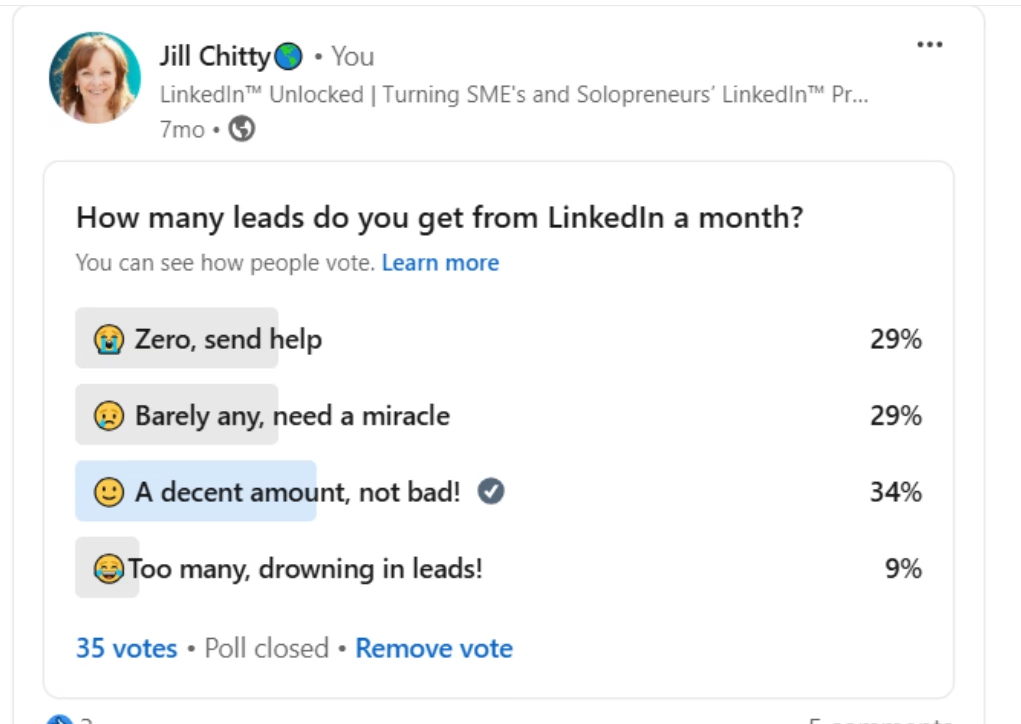
LinkedIn polls are a quick and easy way to engage your audience and gather valuable feedback. Use them to ask about industry trends, professional preferences, or challenges your audience faces. The results often spark interesting discussions in the comments.
(Source – LinkedIn)
4. LinkedIn Events
You can use LinkedIn Events to promote and manage virtual or in-person gatherings. This feature is great for webinars, workshops, and networking events. It helps you reach your target audience and streamline the registration process.
Measuring Your LinkedIn Content Performance
To improve your LinkedIn content strategy, you must track what works and what doesn’t. LinkedIn provides built-in analytics for your posts and your company page. Regularly reviewing these metrics will help you make data-driven decisions.
Key metrics to monitor include:
- Impressions – The number of times your post was seen.
- Engagement rate – The percentage of people who saw your post and interacted with it through likes, comments, or shares.
- Click-through rate (CTR) – The percentage of people who clicked a link in your post.
- Follower count – The growth of your audience over time.
Use these insights to understand which content pillars and formats resonate most with your audience. If you notice that video posts receive high engagement, consider creating more of them. You can also use Google Analytics to see how much website traffic is coming from LinkedIn.
Staying Up-to-Date with LinkedIn Trends
The social media landscape is constantly changing, and so is the LinkedIn algorithm. Staying informed about platform updates and content trends is important for long-term success. Following LinkedIn’s official blog is a great way to keep in the loop.
Pay attention to trending topics within your industry and join relevant conversations. Sharing industry news with your own analysis can position you as a knowledgeable professional. Creating content around current events shows that your personal brand is active and informed.
Don’t be afraid to experiment with new content formats as they emerge. Being an early adopter can help you stand out from the crowd. The goal is to continuously refine your approach based on performance data and platform changes.
Conclusion
A well-planned content strategy for LinkedIn can significantly enhance your professional presence. By knowing your audience, setting clear goals, and consistently creating content that provides value, you can build a strong network. This process allows you to achieve your objectives, whether that’s lead generation or building trust with your followers.
Success on the LinkedIn platform does not happen overnight; it requires dedication and patience. Continue to analyze your results, listen to your audience, and refine your approach over time. With a persistent and strategic mindset, your LinkedIn presence will grow and flourish, opening up new opportunities for you and your business.